11 Failure of the Setting Process Monitoring
A failure of the setting process monitoring is indicated by alternately red and green flashing. In this case,
setting process monitoring is not operating.
If a failure is indicated, check if the process data memory is completely full and the ring memory is
deactivated. If this is the case, the process data file must be archived immediately and deleted or the ring
memory function must be activated, so that the process data are cyclically overwritten after that.
If the process data file is not completely full, the tool must briefly be disconnected from the power supply
andthenre-connected.Ifthefailureisindicatedagainthetoolmustbeservicedbythemanufacturer.
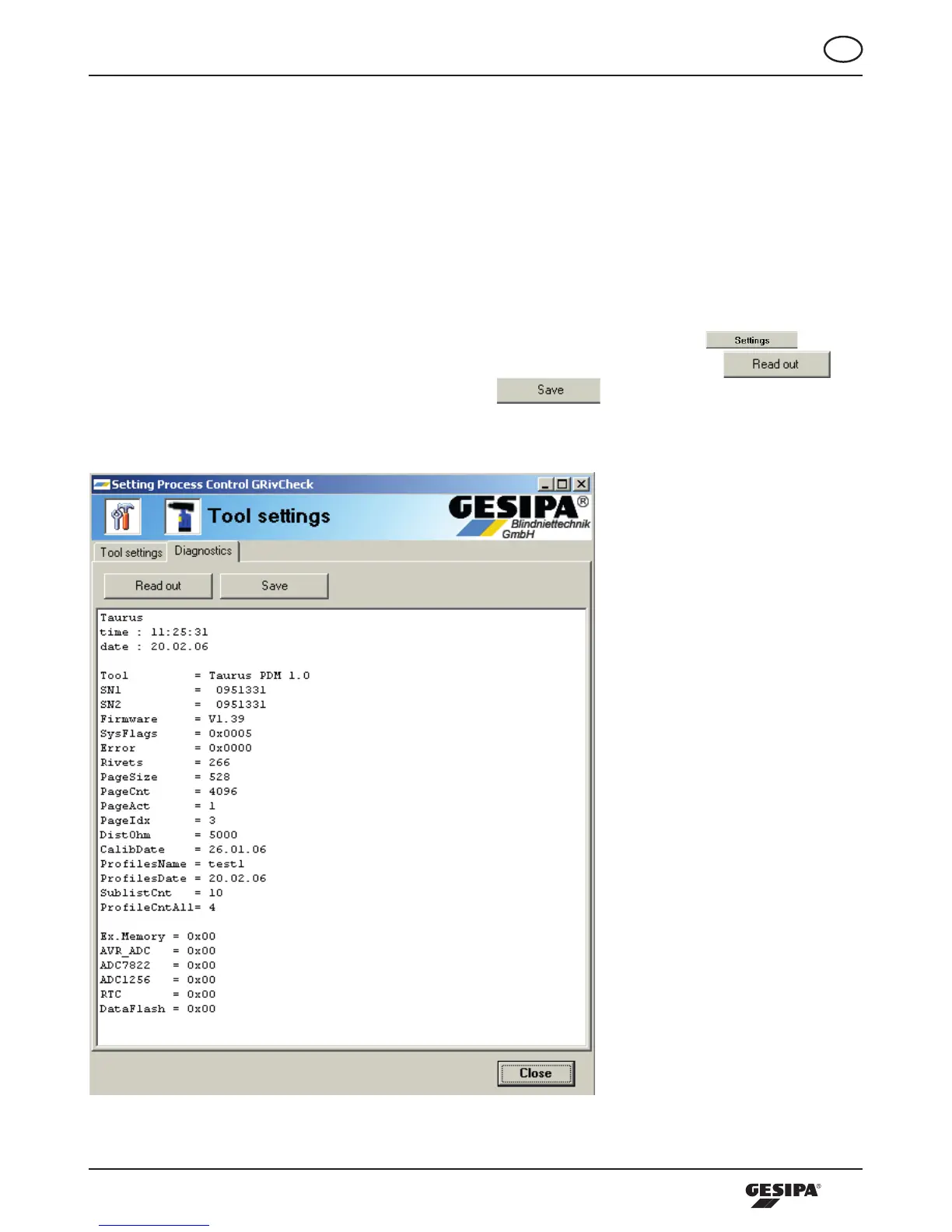
Furthermorethediagnosispagecanbecalledupinthestartscreenbypressingthe -button.
Here, in case of a failure a diagnosis file can be read out from the tool by pressing the
-buttoninthediagnosticareaandthen,bypressingthe -button,savedonthecomputer
in the dialogue, illustration 36. This diagnosis page may provide the manufacturer further information
concerning the cause of failure.
Illustration 36: Reading out the diagnosis file



 To Next Page