By pressing the independent operation of the tool can be started. The setting process
monitoring is then carried out according to the active profile list starting with the blind rivet location 1 of
thesettingsequence.Ifthe -buttonispressed,thesoftwarewillgenerateanewconnection
with the processing tool, and other processing tools can be configured. Process evaluation is represented
bymeansoftheLEDonthetoolasintheoperatingmodePC.TheprocessdatainIndependentoperati-
on are saved according to the established settings according to chapter 4.4.
10.4 Archiving of the Process Data
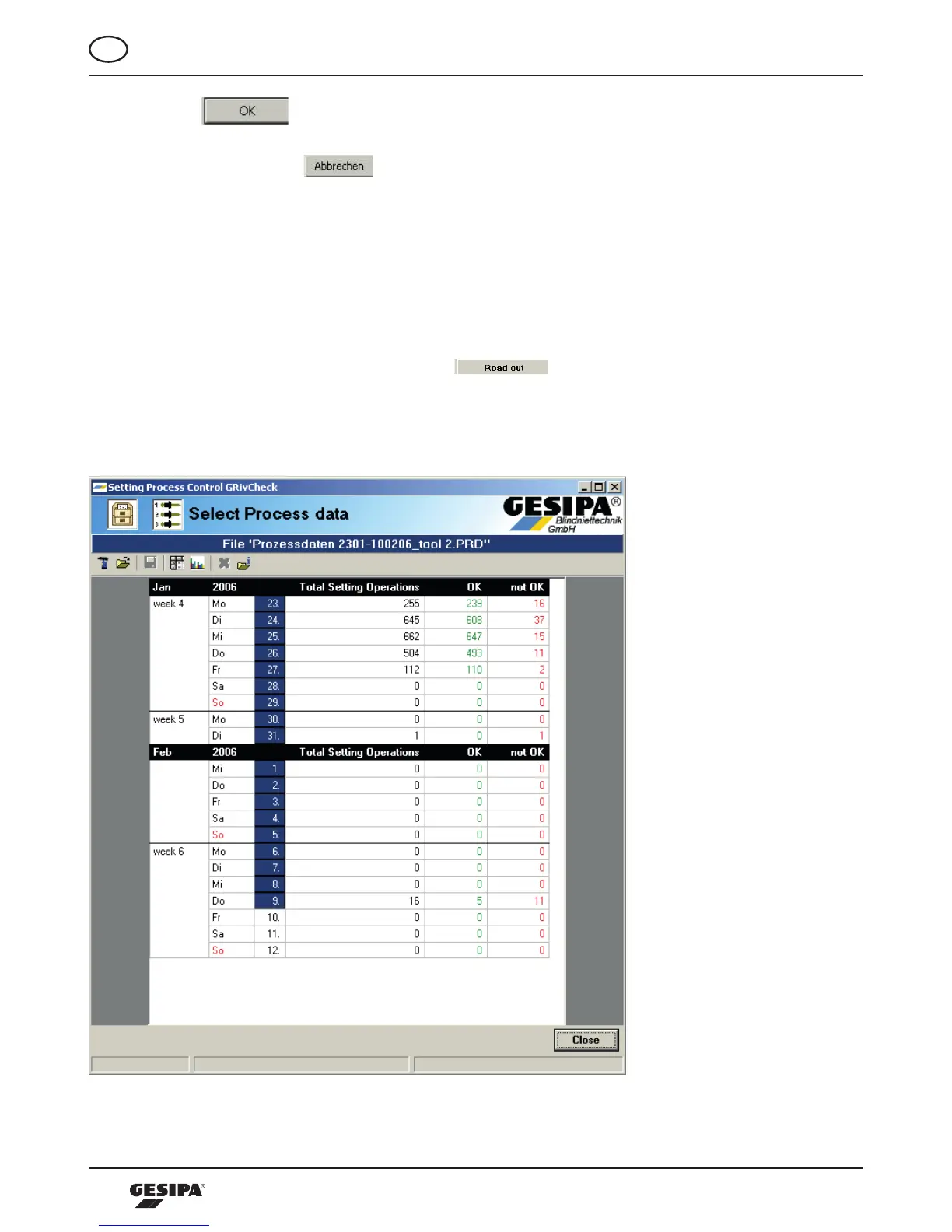
The process data saved in the tool or on a computer can be read out, visualized and statistically analyzed
bymeansoftheoperatingsoftware.Todoso,the -buttonintheareaArchivingofthestart
screen must be actuated. Now the software will read out the process data saved in the tool and repre-
sents a calendar that provides an overview of the process data saved in the processing tool, illustration
30.
Illustration 30: Representation of process data in the calendar



 To Next Page