At first the whole period that process data were recorded is highlighted. This active area can be varied by
clickingoneormoredays.Actuatingthe-buttonprovidestheoptiontosavetheprocessdataonthe
computer.Thedialogue“Saveprocessdata”appears,whichdeterminesthefilinglocationandthename
of the process data file. The file name can be freely selected. The file ending is .prd.
Filesofthatformatcanbeopenedbythissoftwarebypressingthe-buttonandvisualized,statistically
analyzed and exported.
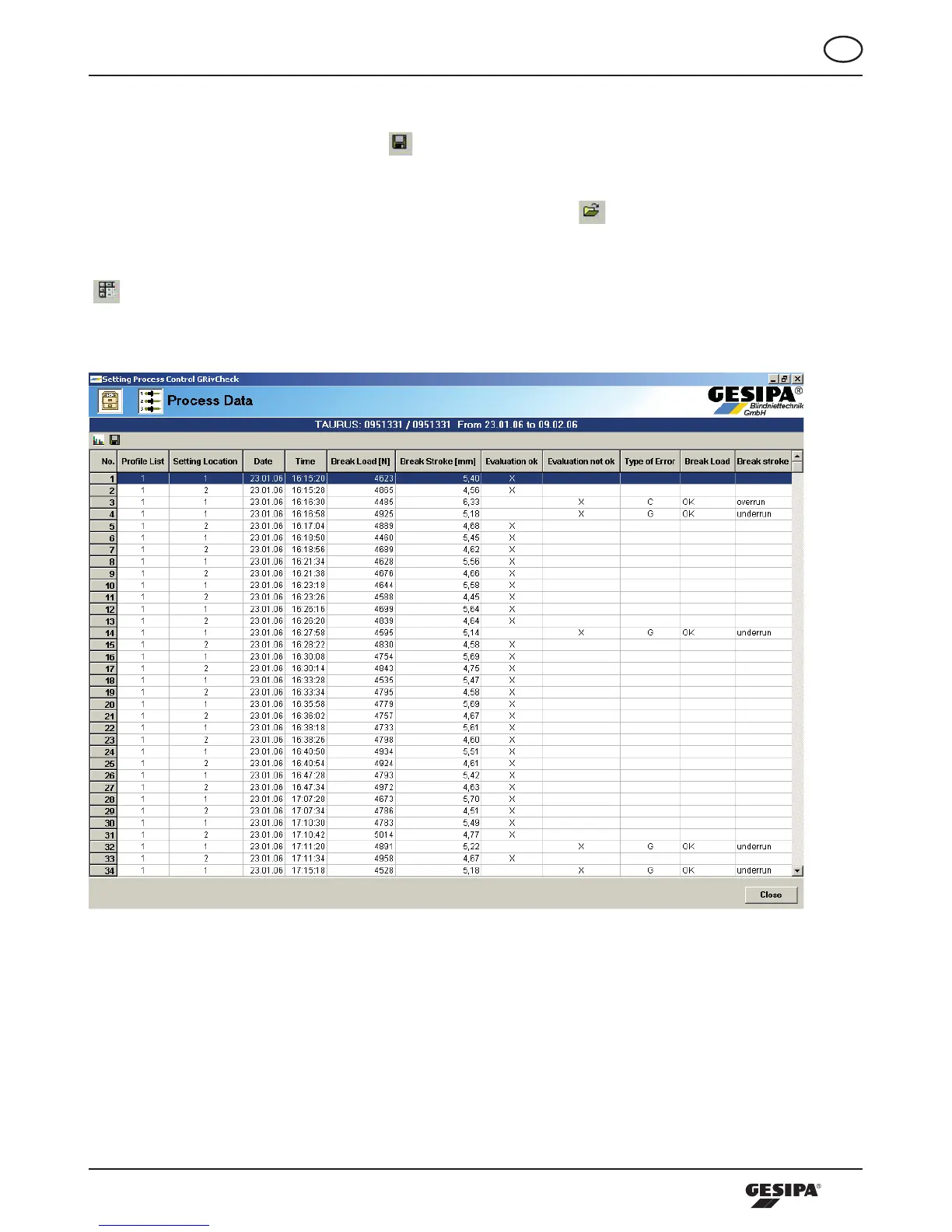
The process data of the active period marked in the calendar can be represented in a table by clicking the
-button,Illustration31.
Illustration 31: Representation of the process data in a table



 To Next Page