You can check the approximate battery level using the battery meter
function of the operating system. To read the battery level in Windows, click
the battery icon on the system tray.
Replacing the Primary Battery Pack
If you often rely on battery power for a long period of time while traveling,
you may consider the purchase of an additional battery pack from your
dealer and keep it with you in a fully charged state as a backup.
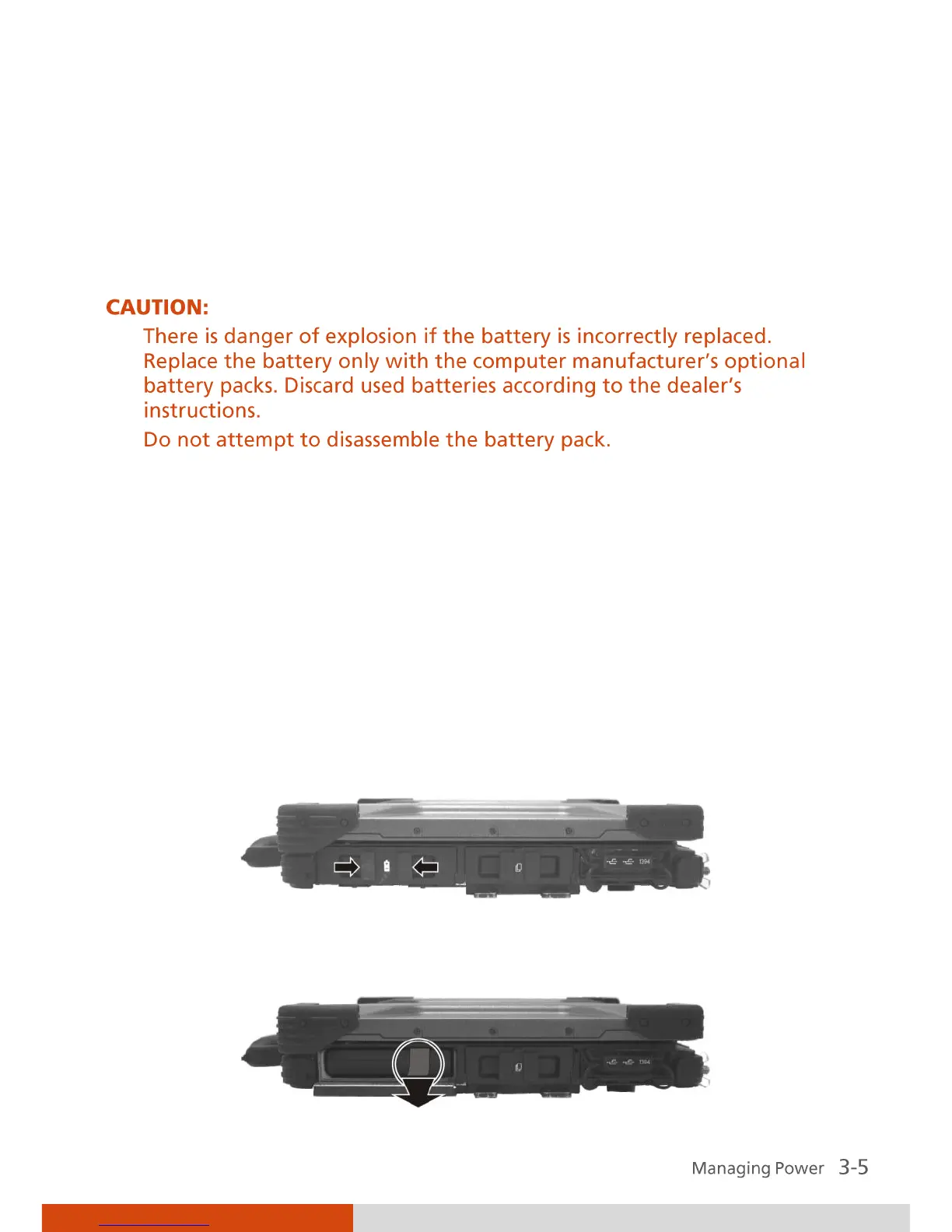
To replace the battery pack, follow these steps:
1. Make sure that the computer is not turned on or connected to AC
power.
2. Locate the battery slot on the right side of the system.
3. Open the compartment cover by pressing on both sides of the release
latch using your thumb and index fingers.
4. Pull on the ribbon strip to remove the battery pack.



 To Next Page