5. Slide the new battery pack all the way into the slot. Make sure to
observe the correct orientation (the ribbon strip must face outward for
future battery back removal).
6. Close the compartment cover to secure the battery pack.
Installing the Secondary Battery Pack
For prolonged battery operating time, you may consider the purchase of an
secondary battery pack from your dealer.
To install the secondary battery pack, follow these steps:
1. Locate the optical drive bay on the left side of the system.
2. Gently place the computer upside down.
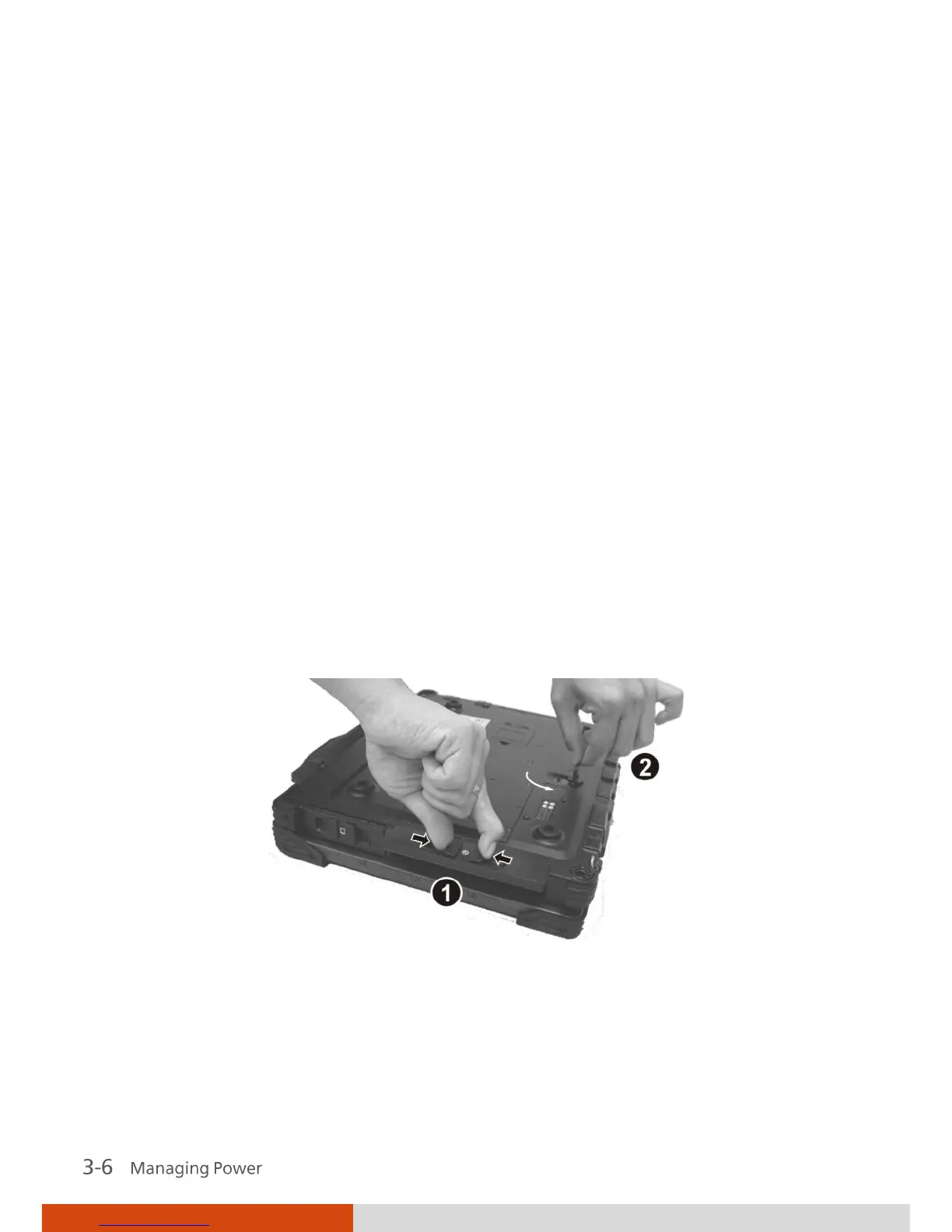
3. Open the optical drive bay cover by pressing on both sides of the release
latch using your thumb and index fingers ().
4. Lift up the handle of the optical drive release knob and turn it
counter-clockwise ().
5. An existing module such as the optical drive will slide out partially.
Gently pull it out of the computer.



 To Next Page