16
Status Bar
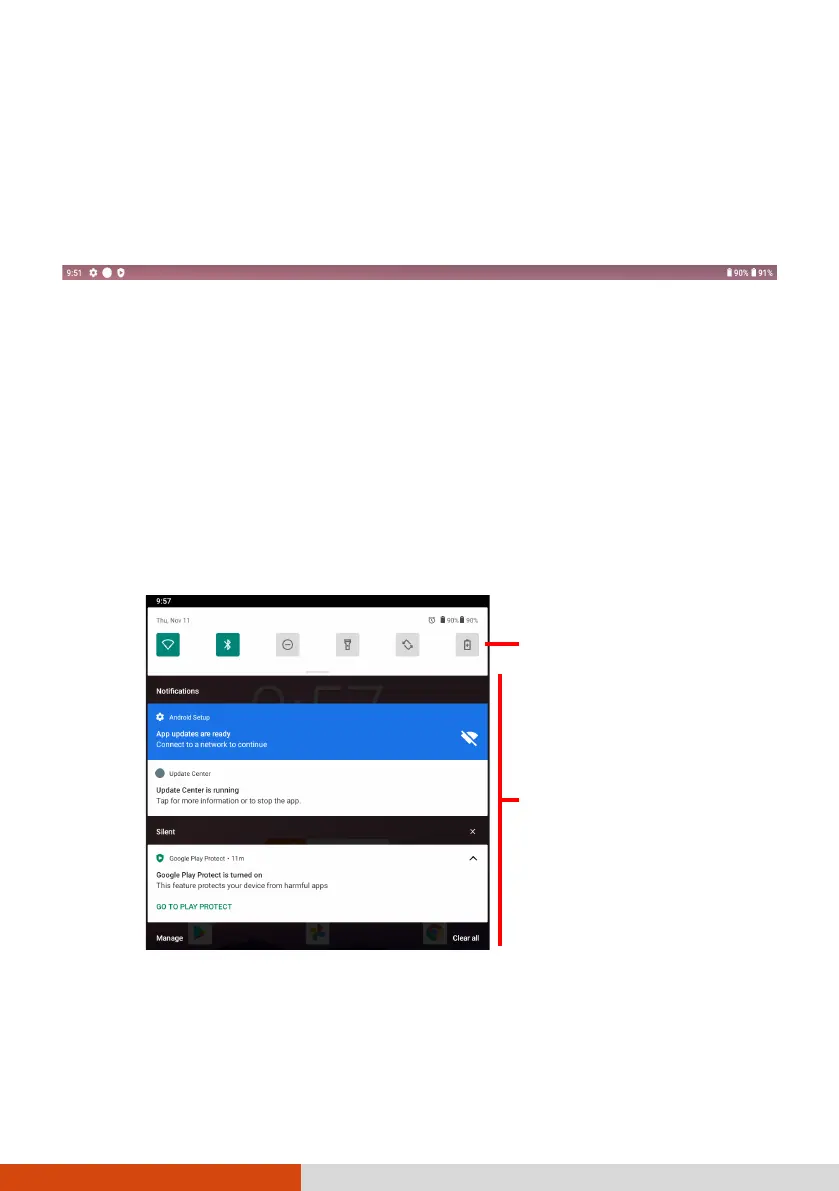
The Status Bar appears at the top of almost every screen. It displays icons
indicating the current status (on the right) and icons indicating that you’ve
received notifications (on the left), along with the current time.
Quick Settings and Notifications
Panel
You can open Quick Settings and Notifications Panel by swiping down from
the top of the screen.
Quick Settings allow you to quickly change common settings such as screen
brightness, Wi-Fi, Bluetooth, Airplane mode, and others.
Notifications Panel provides timely reminders for events, tasks, and alerts.
Swipe up to close Quick Settings and Notifications Panel.
Quick Settings:
Swipe down
to see all quick
ou can interact with your
.



 To Next Page