37
NFC Reader (Select Models Only)
NOTE:
When not using an NFC/RFID card, do not leave it within or near the
antenna area.
For enhanced applications and customization of the module, contact your
authorized Getac dealer.
If your model has the NFC/RFID reader module, you can read data from NFC
(Near Field Communication) and RFID (Radio Frequency Identification) tags.
The protocols supported are ISO 15693, ISO 14443 A/B, MIFARE, and FeliCa™.
To read information from NFC/RFID tags:
1. Tap the Getac Settings app icon , which can be found in the default
Home screen, the Getac folder, and the All Apps screen.
2. Tap NFC reader.
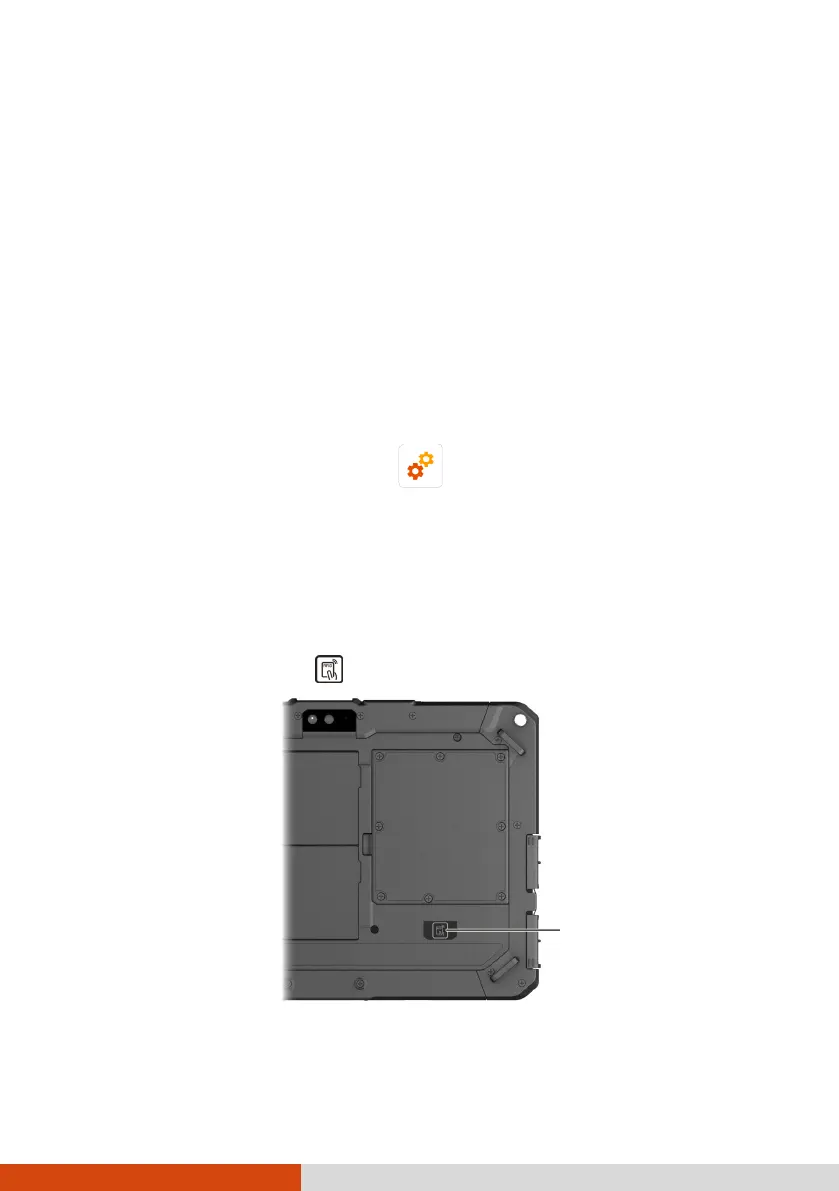
3. Bring the tag near the RFID antenna.
For optimal results when reading an NFC/RFID tag, have the tag face the
antenna in the same orientation as indicated by the icon on the exterior
of the device. The icon indicates where the RFID antenna is located.
4. The scanned data is displayed on the screen.



 To Next Page