42
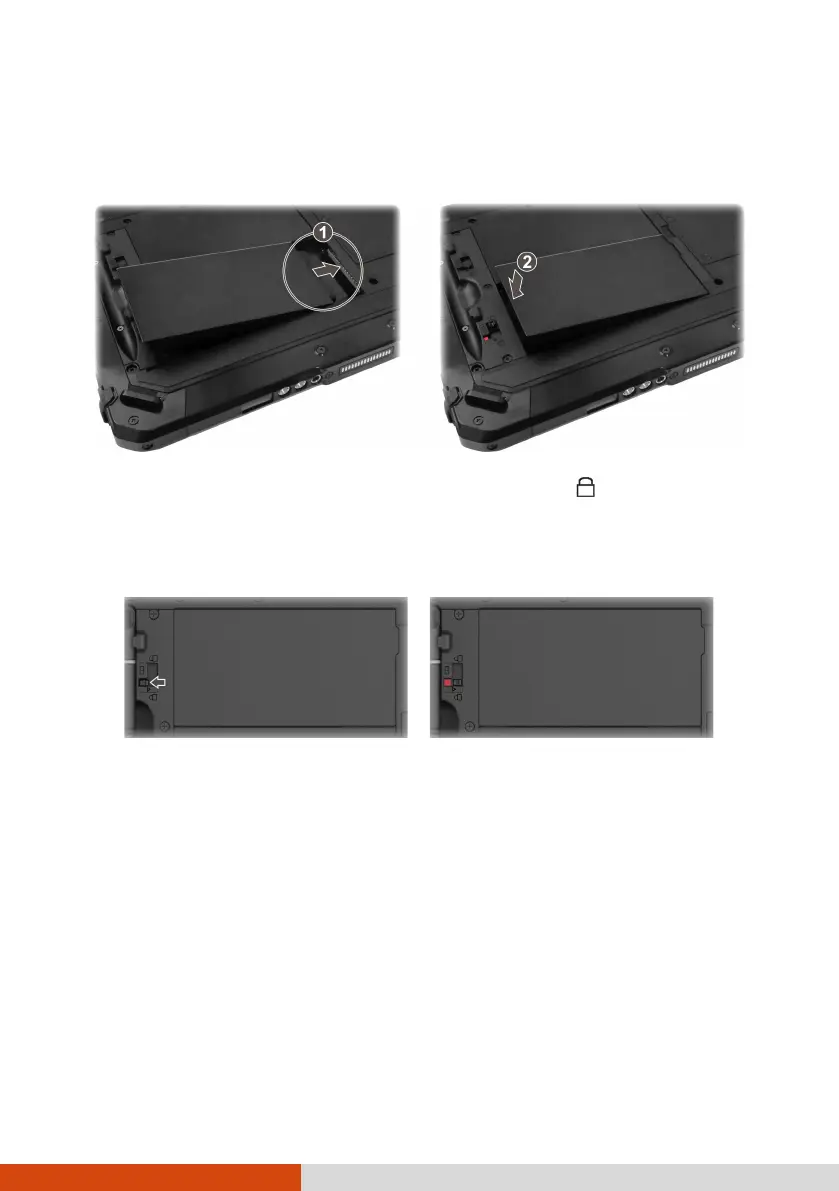
4. Fit another battery pack into place. With the battery pack correctly
oriented, attach its connector side to the battery compartment at an
angle (
) and then press down the other side (
).
5. Slide the battery latch toward the locked position ( ).
CAUTION: Make sure the battery latch is correctly locked, not revealing the
underneath red part.
Correct Incorrect (revealing red part)
Power-Saving Tips
You can extend your battery’s life between charges by turning off features
that you don’t need. You can also monitor how apps and system resources
consume battery power.
Enable Battery Saver. Set a shorter screen timeout.
Decrease the LCD brightness to the lowest comfortable level.
Lower the volume.
Turn off the wireless radio if you are not using the wireless module.



 To Next Page