25
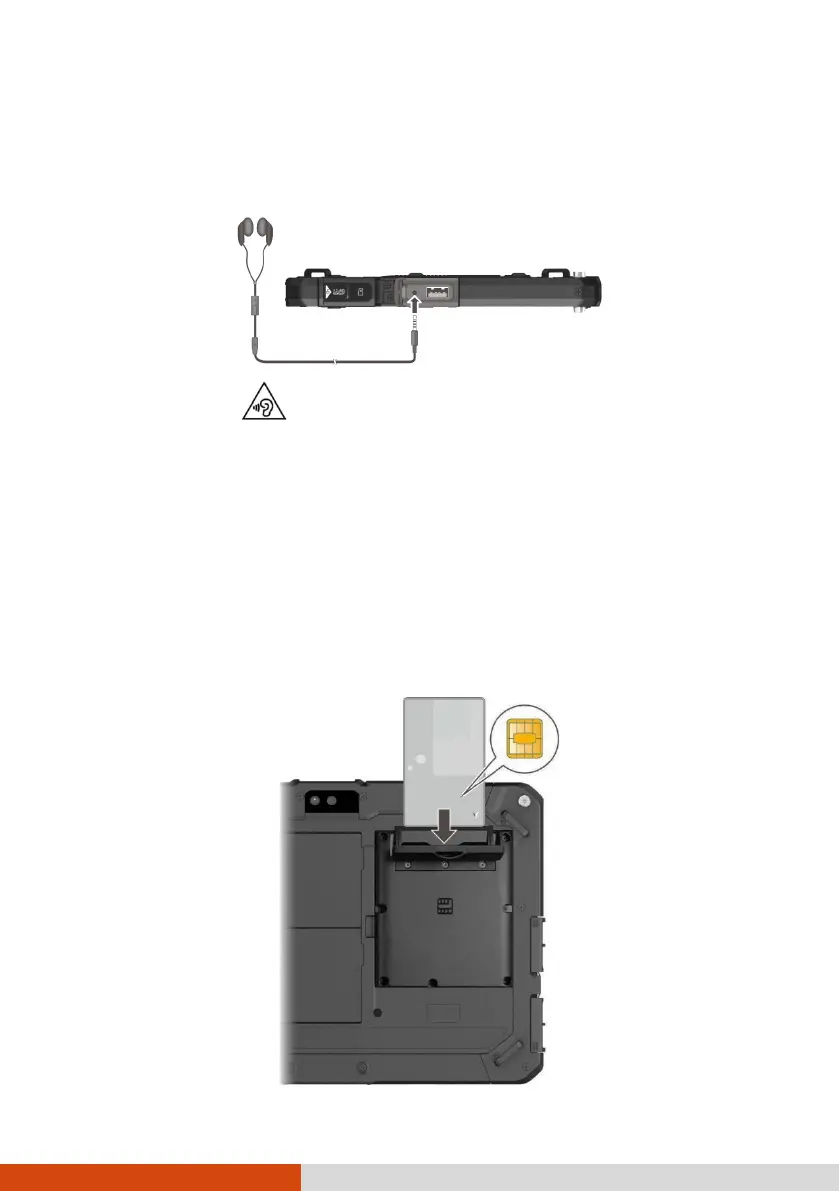
Connecting an Audio Device
The audio combo connector is the “4-pole TRRS 3.5mm” type so you can
connect a compatible headset microphone.
SAFETY WARNING:
To prevent possible hearing damage, do not listen at high volume levels for
long periods.
Using a Smart Card (Select Models Only)
To insert a smart card:
1. Locate the smart card reader. Open the cover.
2. With the embedded computer chip facing front and near the slot, slide
the smart card into the slot.
Chip on the other
side of the card



 To Next Page