40
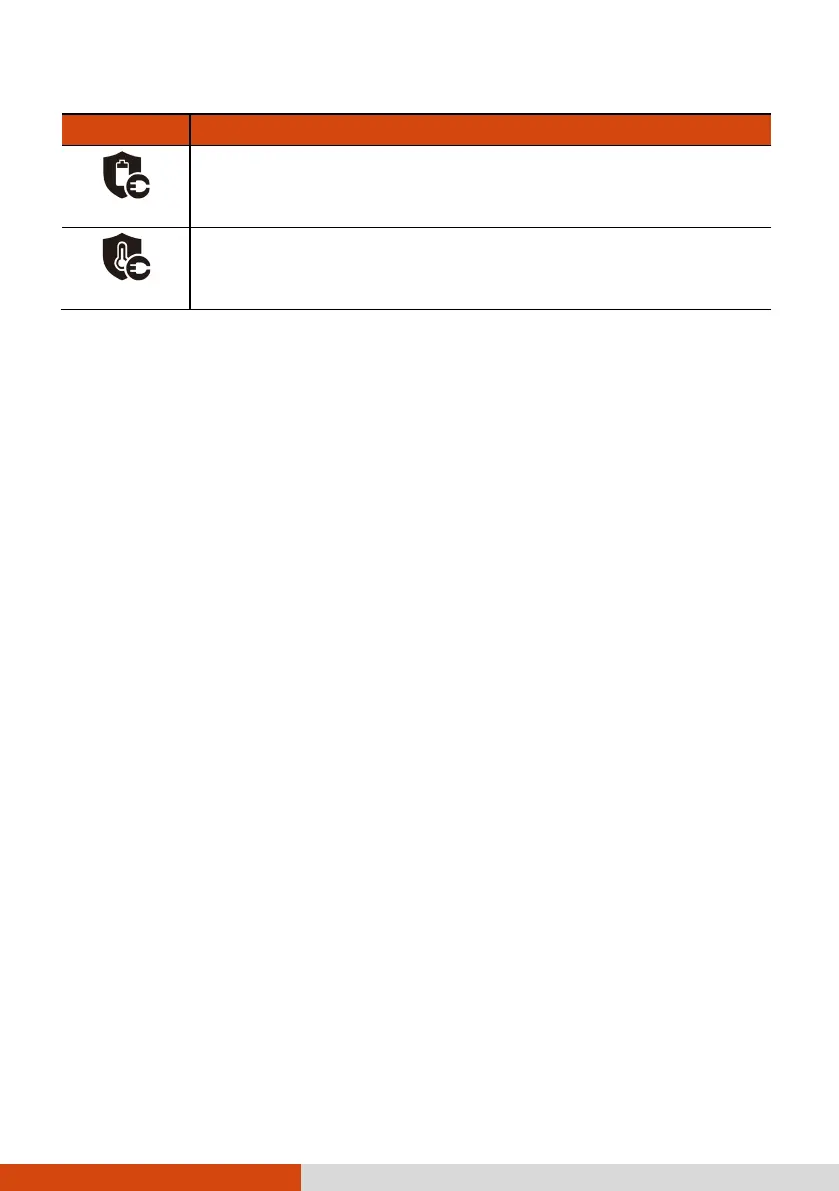
Status Icon Description
When charging for an extended period of time, battery
protection mode has been activated, and the battery level
will be maintained at 75% or higher.
According to device temperature, battery protection mode
has been activated, and the battery level will be maintained
at an appropriate capacity.
NOTE: This automatic battery protection is not equivalent to “Battery Charging
Mode” in Getac Settings. When the battery is in an automatic protection mode as
described above, the mode has priority over the Battery Charging Mode. When
the battery is out of the automatic protection mode, the Battery Charging Mode
takes effect. (See “Getac Settings” later in this chapter for information on Battery
Charging Mode.)
Low Battery Signals and Actions
The battery status (charging or discharging) and level (as a percentage of
fully charged) are displayed at the top of the screen. To check the battery
information, go to Settings Battery.
You should save your data and recharge the battery immediately upon a
warning of low power; otherwise your device will turn off automatically.
You need to connect the device to external AC power for charging before
you can use it again.
CAUTION: When you recharge the battery upon a warning of low power, you
should charge for at least 30 minutes. If you unplug the AC adapter soon, you
may not have sufficient battery power for your operation.
Replacing the Battery Pack
CAUTION:
There is danger of explosion if the battery is incorrectly replaced. Replace
the battery only with the device manufacturer’s battery packs. Discard used
batteries according to the dealer’s instructions.
Do not attempt to disassemble the battery pack.
A battery pack can get hot due to long working hours. Do not touch a hot
battery pack with bare hands. After removing a battery pack, put it in a
well-ventilated area.



 To Next Page