ECturn/ECturn Inside
12
Safety sensor close and open
5.2 Safety sensor GC342
à Accessories:
à Remote control, mat. no. 100061
à For further accessories see installation instructions GC 342
X
Follow installation instructions GC 342.
Sensor position
X
Mount safety sensors to the door leaf as specied in the GC 342 installation instructions.
GC 342 settings
à See installation instructions GC 342
à GEZE recommends using the optional remote control to change the sensor parameters.
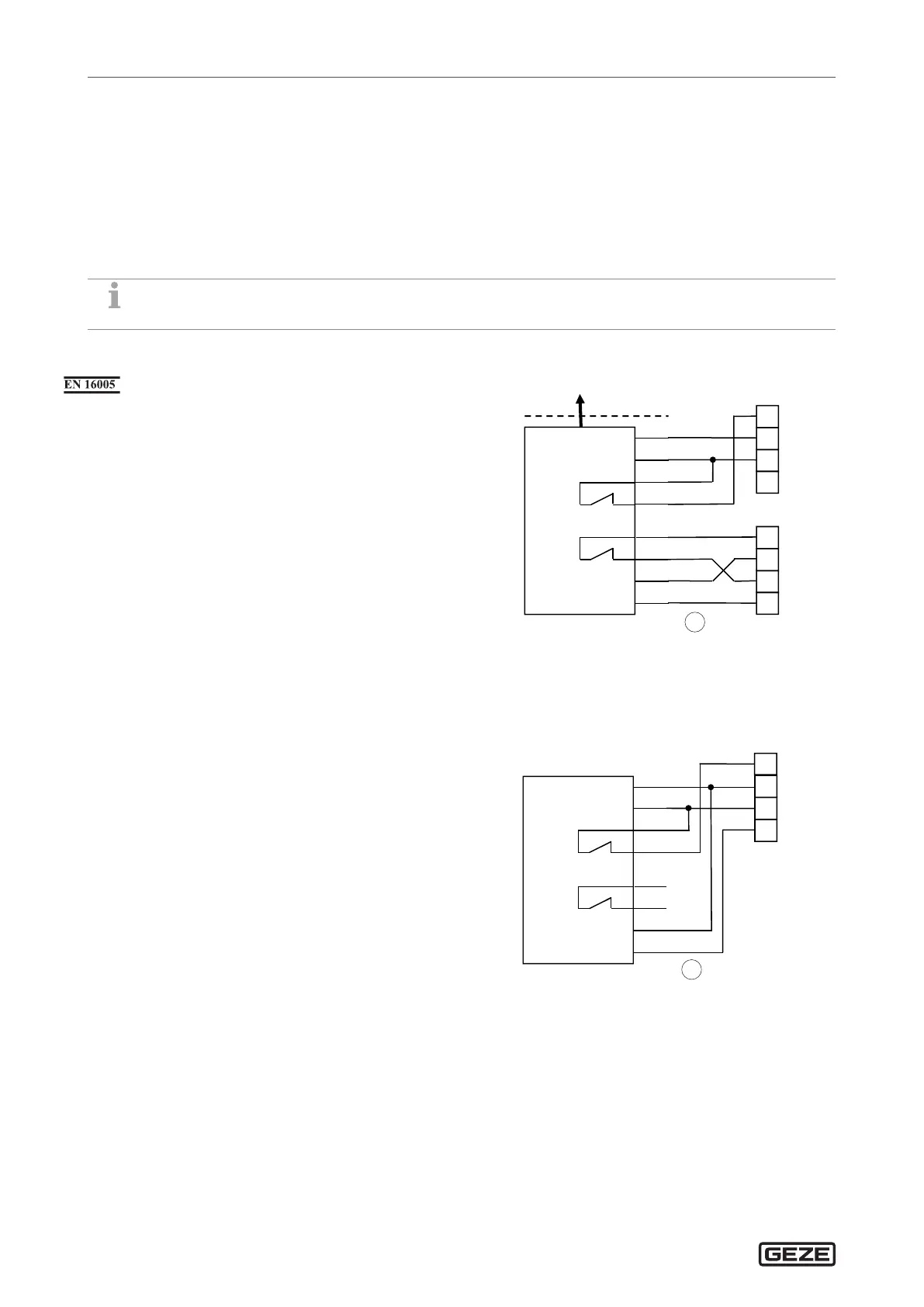
5.2.1 Monitoring closing and opening
X
Set the parameters:
à
s1
(safety closing) to
01
for “SIS” or to
02
for “SIS and K”.
à
s3
(safety opening) to
01
for “SIO”.
à
Te
(testing) to
02
for “testing with GND”.
1
-UB
+UB
COM
+
SIO
60 mA
Test
SIS
GC 342
BN
GN
YE
WH
PK
GY
BU
RD
SIO
13
1
GND
4
24VSEN
10
TST
SIO
SIS
11
1
GND
4
24VSEN
10
TST
SIS
BS
1 Door transmission cable
5.2.2 Monitoring opening
X
Set the parameters:
à
s1
(safety closing) to
00
for “no SIS”.
à
s3
(safety opening) to
01
for “SIO”.
à
Te
(testing) to
02
for “testing with GND”.
1
SIO
13
1
GND
4
24VSEN
10
TST
-UB
+UB
COM
+
SIO
60 mA
Test
SIS
GC 342
BS
BN
GN
YE
WH
PK
GY
BU
RD
1 Door transmission cable





 To Next Page