29
860-7200-18 DTU DTB Service & Maintenance Manual
the machine� Only use Isopropyl alcohol to clean the ends of the
ber optic cables to prevent blurring the ends.
Handle position sensors
On each rotary handle are 2 proximity switches which sense that
the rotary handle is being rotated in one direction or the other�
These sensors will send a 24VDC signal to the PLC if they are
activated� Turning the handle in one direction will activate the one
proximity sensor and turning the handle in the opposite direction
will activate the other proximity sensor� These proximity sensors
are independent of the hand present sensor� There are 4 inputs
on PLC which sense each rotary handle proximity sensor signal�
They are normally listed as handle up or down and left and right�
Next page:
Hand Present Sensor − Programming Keyence Sensor Amplier
ROTARY HANDLE
The rotary control handle provides the PLC with input information
to control driving and steering the Destu-it as well as controlling
the functions of raising/lowering/pivoting the front conveyor and
raising/lowering the operator platform� The two main functions of
the rotary handle are “hand present sensor” and “handle position
sensors”� There are two rotary handles on either side of the front
conveyor� Their output circuits are separate from one another and
are received by the PLC� The left and right handles both perform
the same function� Only one rotary control handle should be use
at a time�
Hand Present Sensor
Under each end of the rotary handle, are openings which allow a
beam of light to pass from ber optic cables from one side of the
handle to the other� The front side hole contains the emitter end of
the ber optic cable and the rear hole contains the receiving end
of the light signal�
If an operator breaks/blocks the passage of the light beam
between these ber optic cables, there is a sensor module which
detects this and sends a 24VDC output to the PLC that a “hand is
present on the rotary handle”�
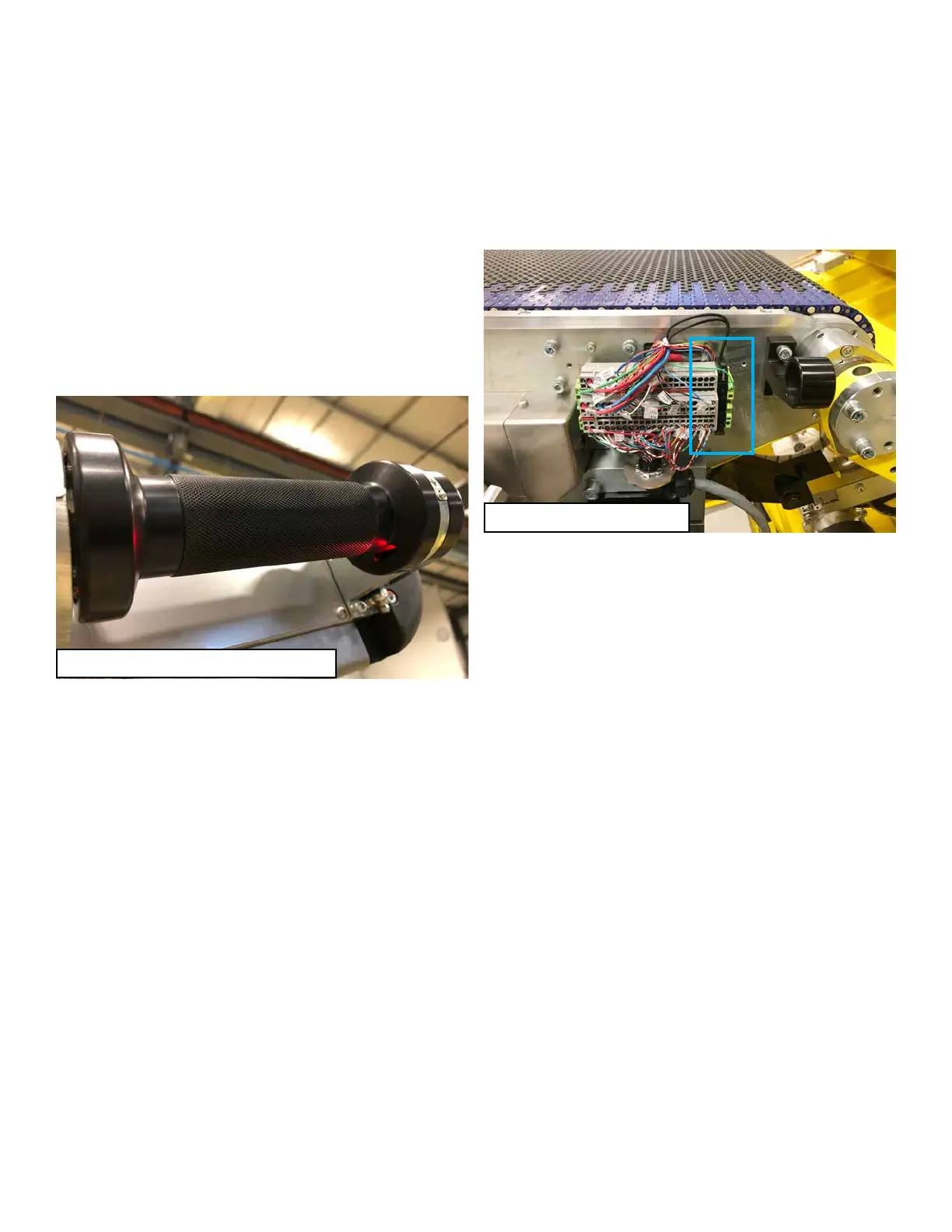
The ber optic sensor amplier module which interprets the light
signals is contained inside the junction box located on the same
side of the conveyor as each handle (see photo)� There are two
ber optic sensor modules. One for each rotary handle.
These modules are set for “Dark ON” – the light signal should be
received unless a hand on the rotary control blocks the light� If
the module is able to transmit light and receive it on the ber optic
cable it recognizes that there is no hand present on the rotary
control� If there is no light signal received or the signal quality is
low, it interprets that as a hand is present on the rotary handle�
The modules must also be calibrated to recognize the strength of
the light signal when not blocked� Dirt or debris inside the holes
under the rotary handles will interfere with the sensor module
readings� If dirt or debris is partially/fully blocking the light beam,
the sensor can mistakenly interpret that a hand is present� Care
must be taken to not damage the ber optic cables when servicing
Rotary Handle with Hand Present Sensor
Rotary Handle Control Module



 To Next Page