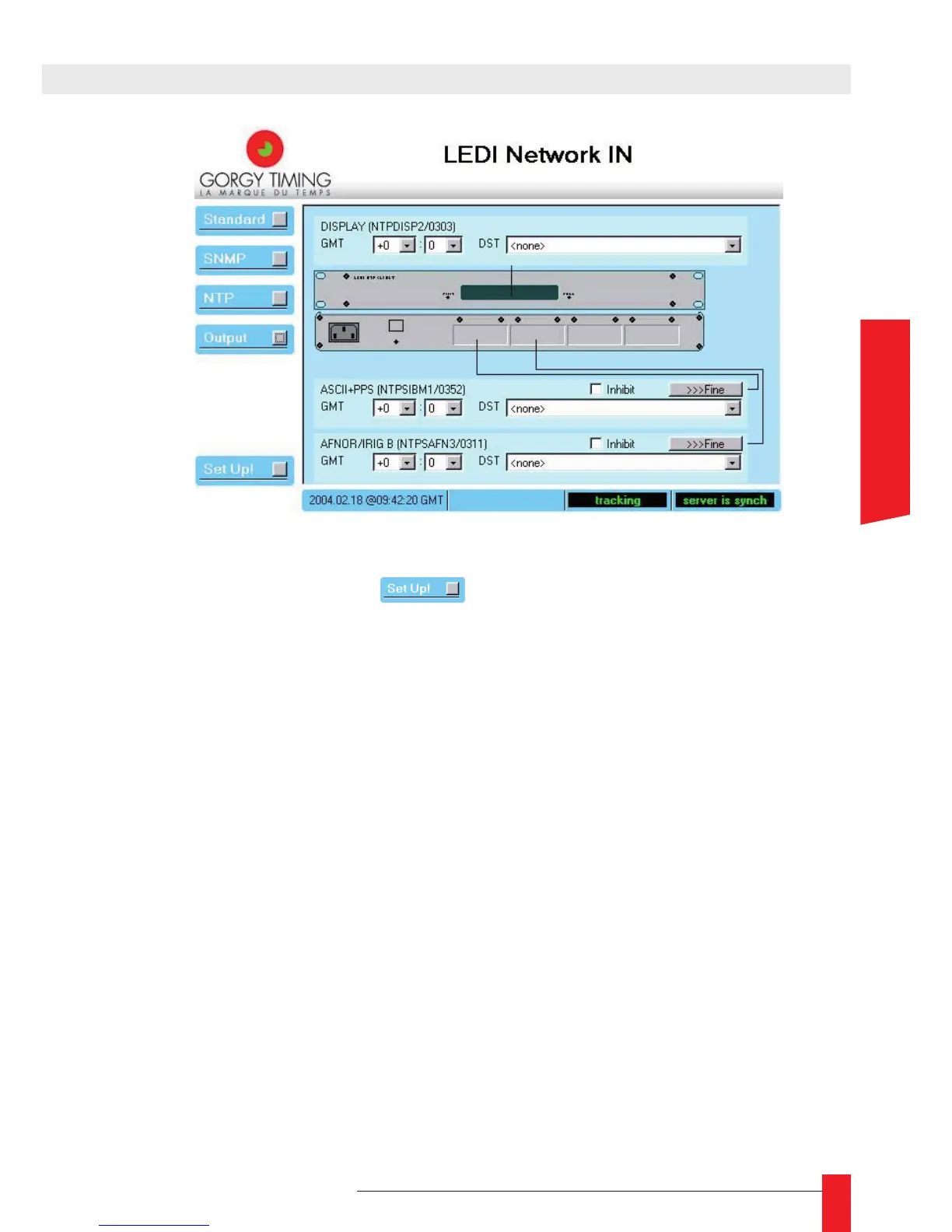
In this screen you can tune each card independently (see part 5.2.5). When you have
change.the settings, click on the . button. The modication should appear imme-
diately at the outputs or on the display.
2.2.4. NTP server output card conguration
You can add a NTP server output card to your LEDI network IN. By this way, you can
synchronize your local network on this card, which is itself synchronized by the NTP
client on a remote Internet NTP server.
The NTP server card has to be congured by the same way than the NTP client of the
LEDI Network IN. Its default network conguration is DHCP mode with identier SC-
nnnnnn with nnnnnn, the serial number on 6 digits.
The default SNMP name of the NTP server (that can be seen from a SNMP browser or
from a WEB browser) is NTPServnnnnnn with nnnnnn, the serial number on 6 digits.
To change the network parameters of the NTP server card, use the GTNetMng tool :
see page 10). Like the NTP client, the NTP server card provides a WEB page for ne
conguration (see page 31) and a SNMP MIB for supervision through the network (see
page 40).
2. FULL SETUP



 To Next Page