4.2.3. SNMP setup
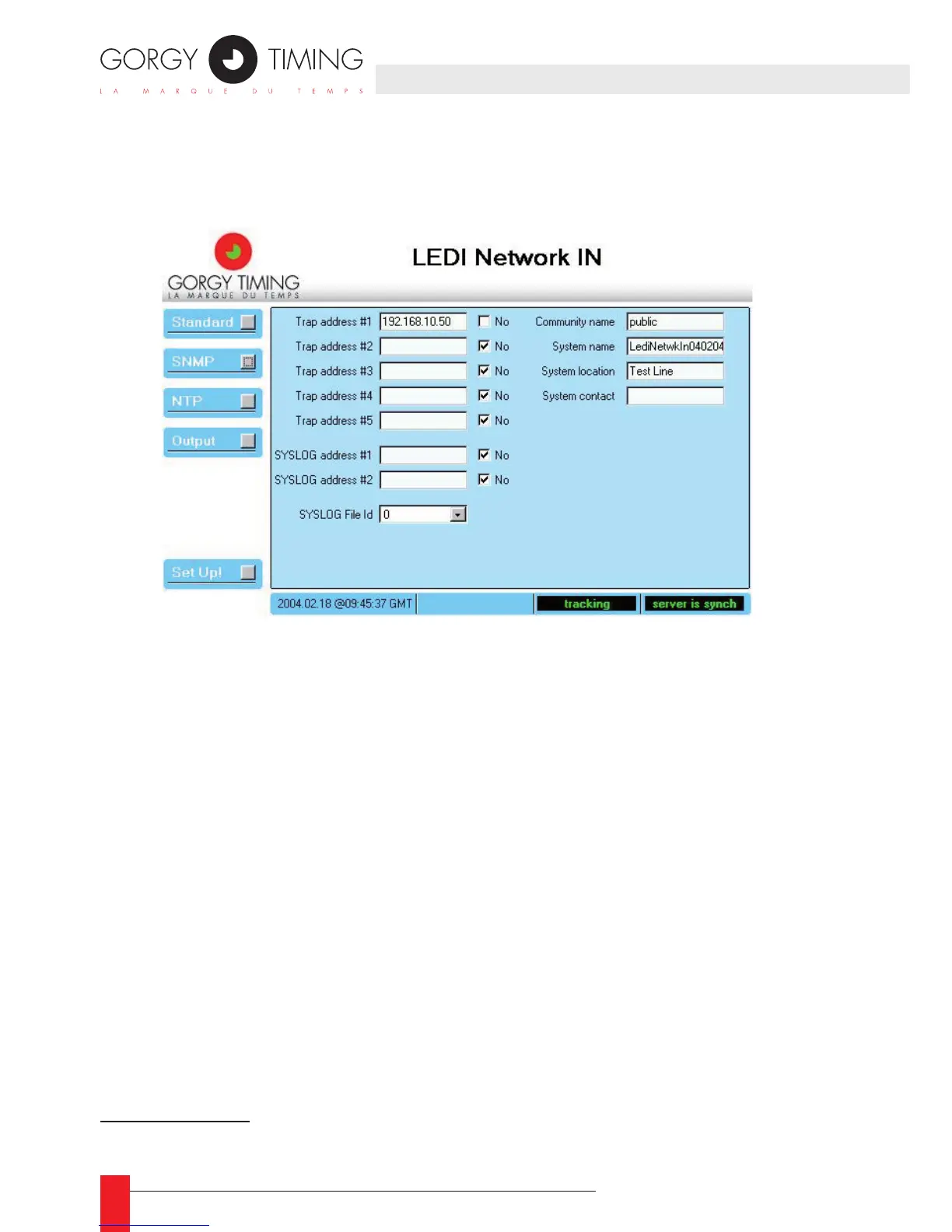
When you click the SNMP button, the SNMP parameters are displayed as shown below:
The very standardized SNMP protocol provides a means to get information and alarms
from the LEDI Network IN.
8
Access to these information (the MIB) can be “protected” by
a keyword that is the Community Name.
Alarms are sent to a SNMP browser localized on a computer identied by its IP ad-
dress. Up to 5 IP Trap address can be specied that allows the alarm monitoring from
5 different computers.
Last, the SNMP related name, location and contact could be congured in this screen.
These information are stored in the system branch of the MIB and can be displayed in
a SNMP browser or in the GTNetMng tool (see part 31.2).
For convenience, alarms can be notied through the SYSLOG protocol that is more
often implemented under UNIX
®
.
8/ See part 6 for more information about SNMP
4. WEB INTERFACE



 To Next Page