4.2. DESCRIPTION OF THE WEB INTERFACE
4.2.1. Ecran Principal
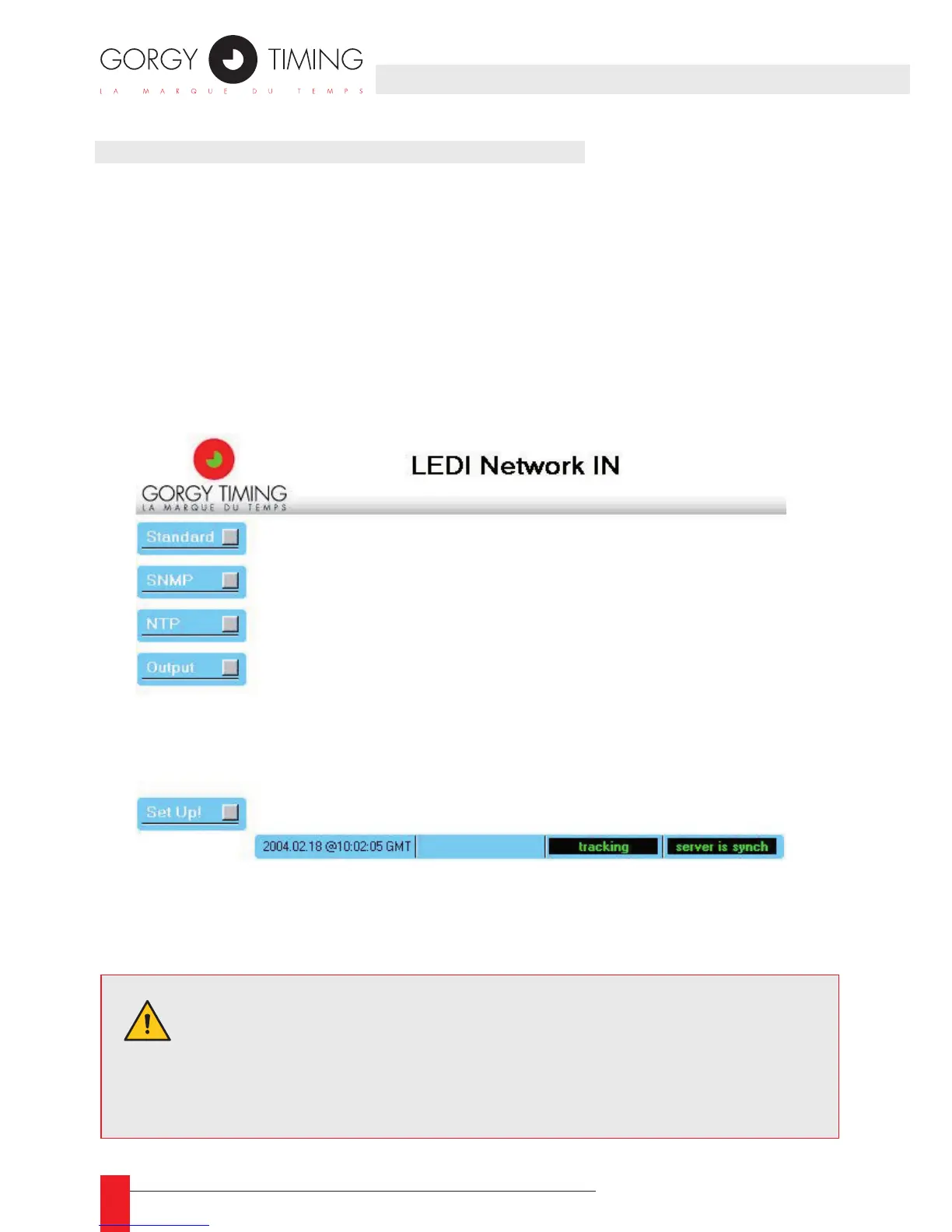
This is the screen that appears when accessing the WEB site of the LEDI Network
IN. The rst four buttons at the left of the screen provide an access to the following
panels:
1. Standard: information about the product and conguration of network parameters
See part 2.2.
2. SNMP: conguration of SNMP parameters;
3. NTP: diagnostic and conguration of the NTP software behavior;
4. Output: diagnostic and conguration of output cards and display.
The Set Up! button updates immediately the LEDI Network IN conguration. The con-
guration is stored permanently in an EEPROM.
WARNING. Some parameters cannot be modied without restarting
the LEDI Network IN. If you change these kind of parameters and
click on the Set Up! button, the LEDI Network IN restarts with the
new parameters and needs 2 minutes before re-enable its outputs.
4. WEB INTERFACE



 To Next Page