4.2.2. Standard setup
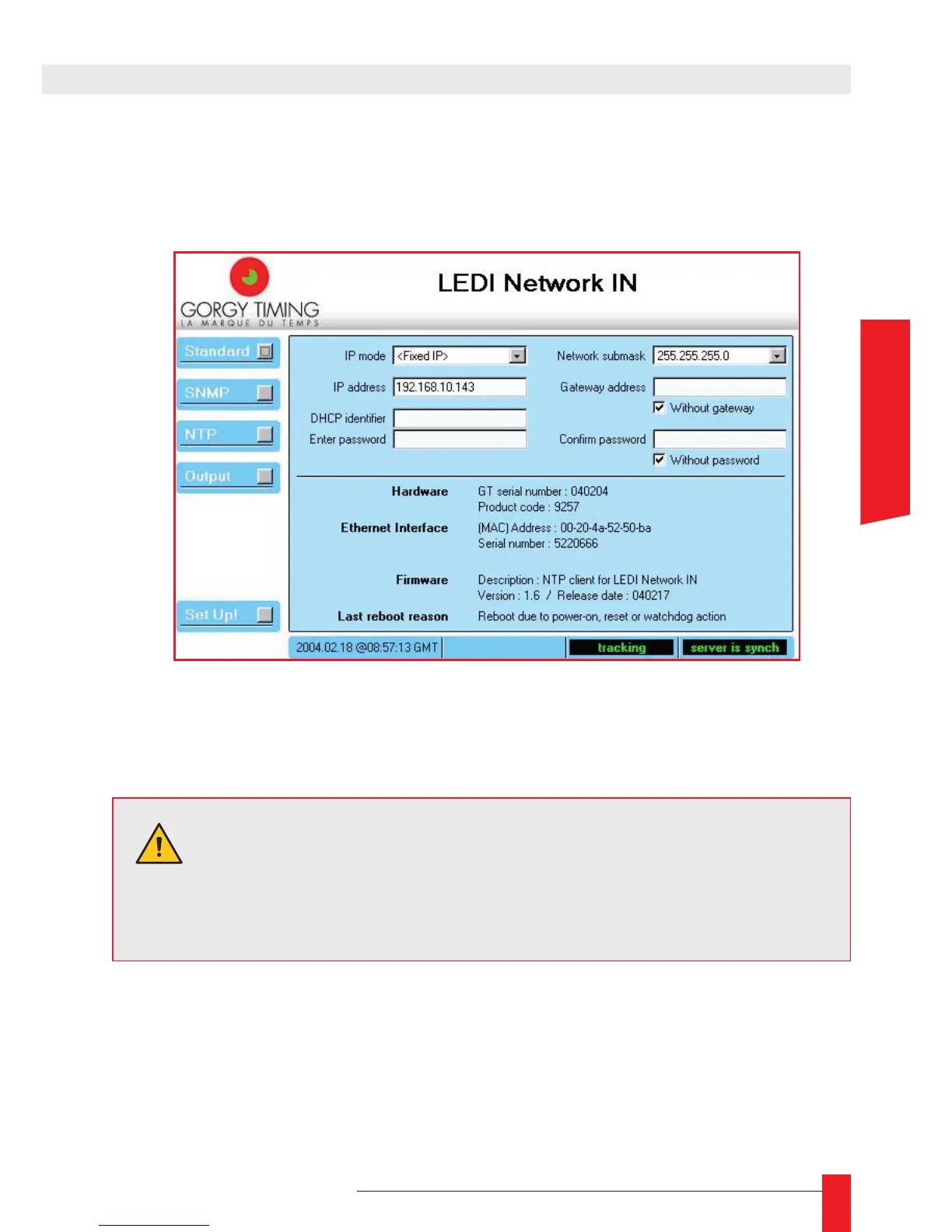
When you click the Standard button, the network parameters and product information
are displayed as shown below:
In the top of the panel, you can control the network parameters and the WEB access
password. In the bottom of the panel, you have information about the product.
NETWORK PARAMETERS
Here are the different parameters:
IP mode ►
Indicate if the LEDI Network IN works with a xed IP (set in the eld IP address) or
use DHCP protocol (the DHCP identier is set in the eld DHCP identier);
WARNING. If you click on the Set Up! button after changing one or
several network parameter(s), the LEDI Network IN must restart to
use the network parameters. During the reset and 2 minutes after,
the output(s) of the product is(are) disabled.
4. WEB INTERFACE



 To Next Page