4.2.4. NTP Setup
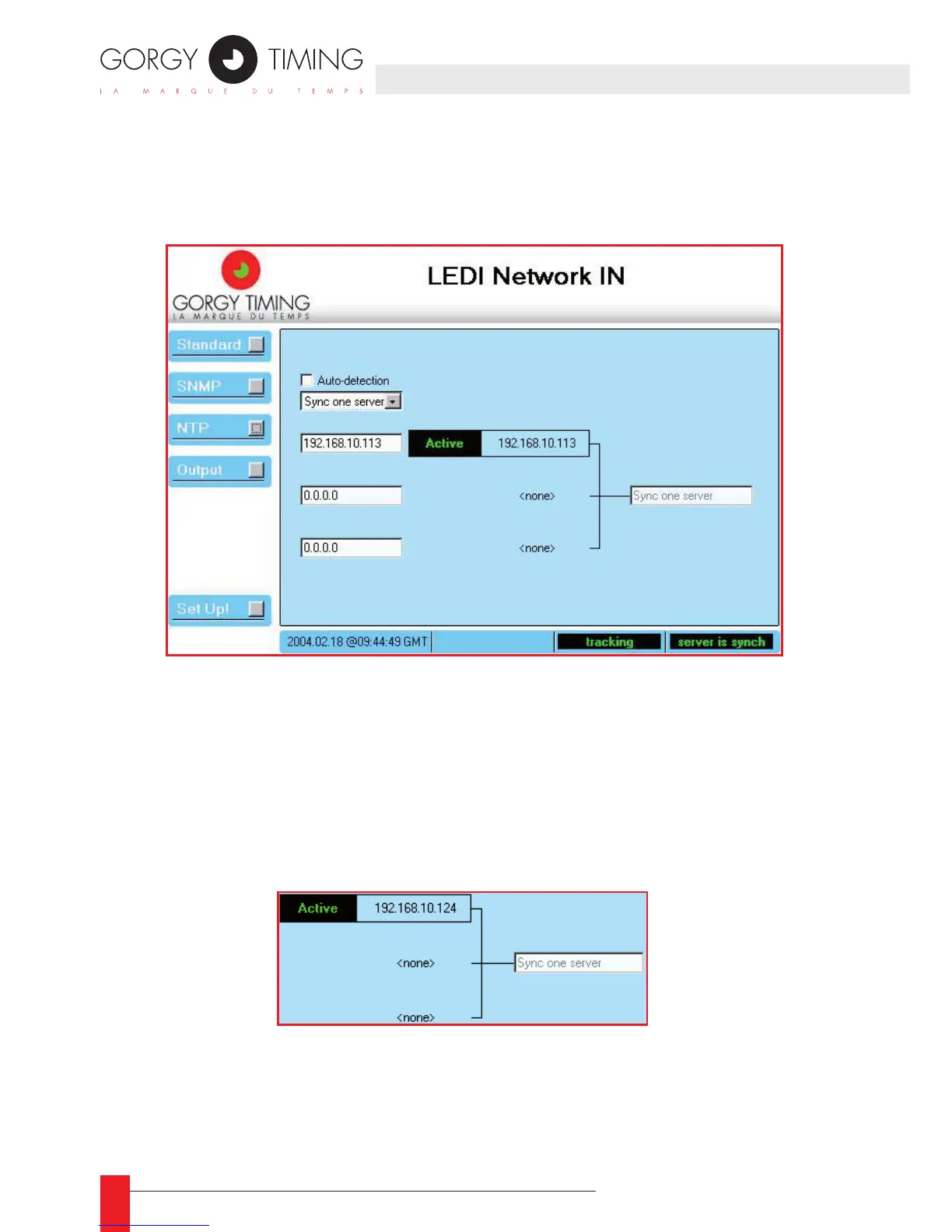
When you click the NTP button, the conguration of the synchronization of the LEDI
Network IN is displayed as shown below:
The LEDI Network IN can be synchronized on up to three NTP servers. In fact, the NTP
software uses only one server at the same time but can commute to another server
when there is no or not enough reply.
The NTP conguration panel shows what is the synchronization mode used by the
server or selected by the NTP software. It also shows the servers dened by the user
or detected by the software
DESCRIPTION
The right part of this screen shows the current conguration used by the NTP client
software:
IIt shows the different servers used for synchronization and the current synchronization
mode (on the screenshot above, there is only one server at IP address 192.168.10.124).
In addition, this screen part shows what is the server currently used for synchronization
(with a frame labeled Active). If a commutation is in progress, the label Trying is dis-
played nears the related NTP server. :
4. WEB INTERFACE



 To Next Page