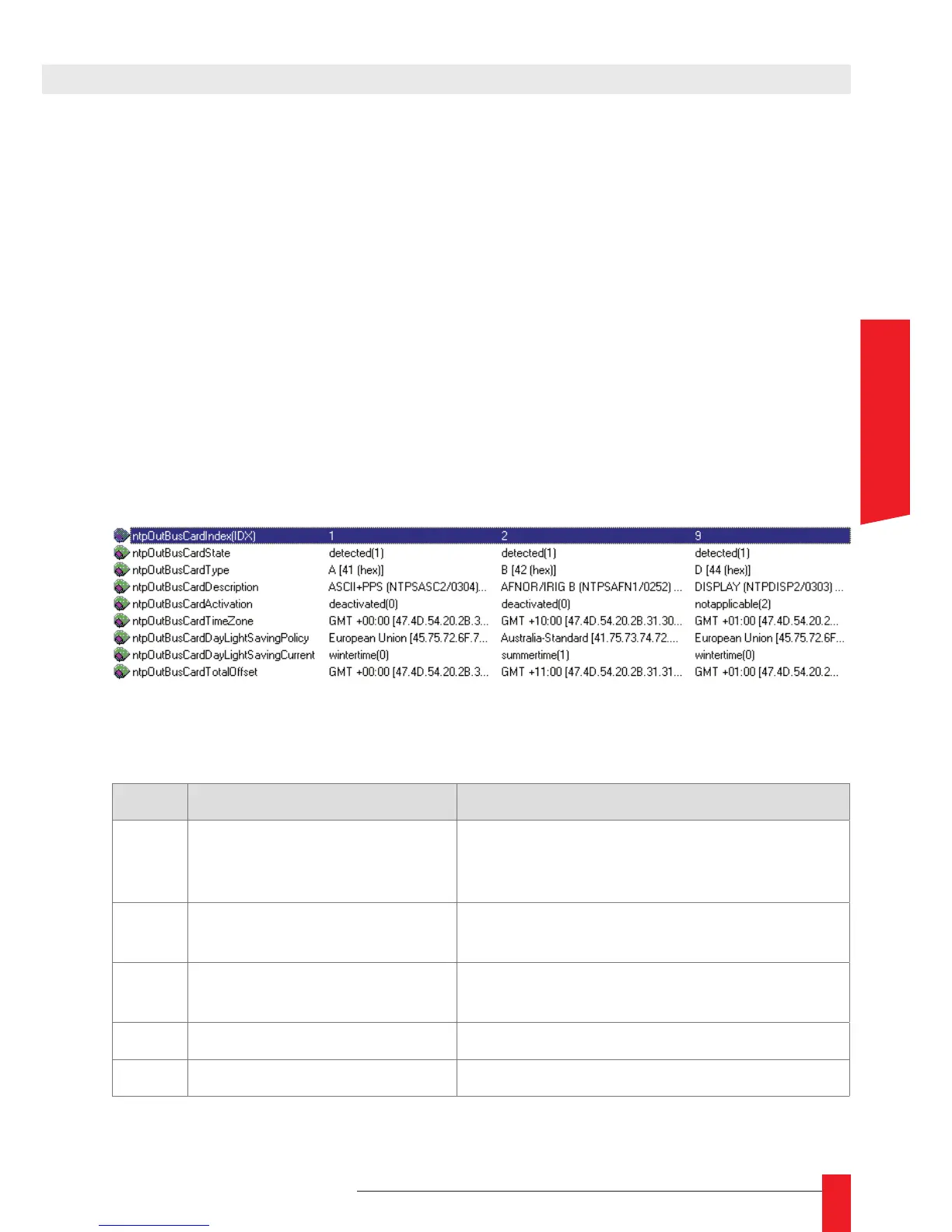
ntpOutBusCardActivation: ►
Indicate if the output of the card activated or deactivated (this feature can be
controlled from the WEB interface). If the card cannot be deactivated, this eld
has the value notapplicable;
ntpOutBusCardTimeZone: ►
Time-zone for this output. This is displayed as an offset from universal time. This
setting can be changed from the WEB interface;
ntpOutBusCardDayLightSavingPolicy: ►
Indicate which day saving time policy is used. If there is no DST, this eld has
the value <none>. This setting can be changed from the WEB interface;
ntpOutBusCardDayLighSavingCurrent: ►
Indicate if Day Saving Time is in effect (value summertime) or not (value winterti-
me). If Day Saving Time is not activated, this eld has the value notapplicable;
ntpOutBusCardTotalOffset: ►
Indicate current total offset from UTC.
Here is an example of the description of the output cards displayed in a SNMP browser:
5.1.2. Description of the SNMP traps
# Related MIB variable Alarm meaning
1
2
3
ntpCliAutoCong
ntpCliAutoCongDone
ntpCliAutoCongFail
Auto conguration of the NTP client (NTP
servers searching) : starting, done or fail
4 ntpCliLearning The NTP client begins is synchronization on
the remote server.
6 ntpCliPollFail No or not enough reply from current NTP
server, trying another one
7 ntpCliSrvElected A new server is elected for synchronisation
5 ntpCliTracking The NTP client is operating normally
5. SNMP INTERFACE



 To Next Page