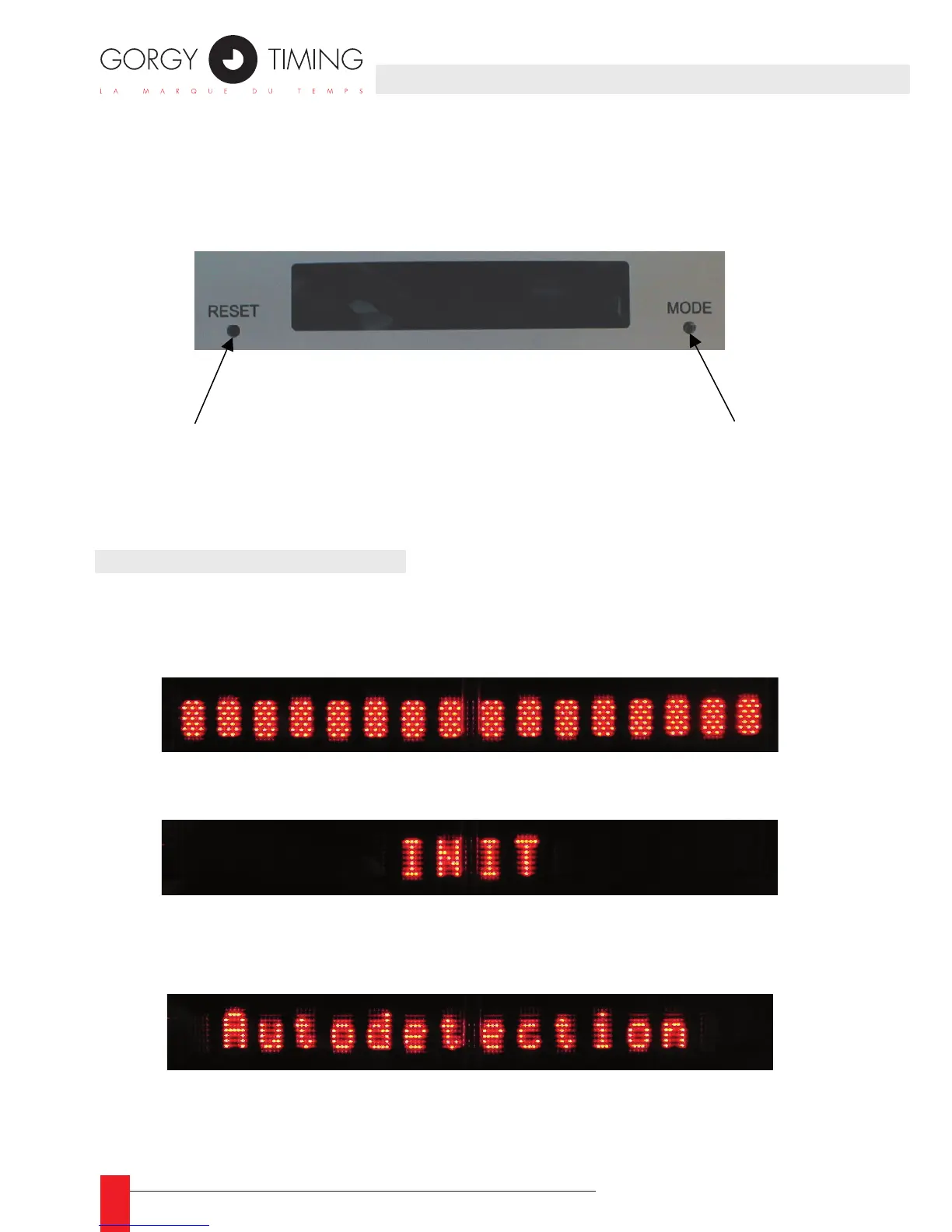
The front display interface can display up to 16 characters. Two buttons provides
you with display conguration and global reset. The LEDI Network IN uses the front
display to show current time and different alarm condition.
3.1. START-UP CONDITIONS
During start-up, the time and date of the LEDI Network IN are not valid and are not dis-
played. Then, you can see the following texts:
When the device start, all the dots of the displays are lightened. ►
During hardware initialization, the following text is displayed. ►
If no server is congured by the user, the LEDI Network IN try to detect GT servers ►
and display the following message:
If the auto detection stage fails, the following text is displayed until a GT server is ►
available on the network:
3. FRONT DISPLAY INTERFACE3. FRONT DISPLAY INTERFACE



 To Next Page