9
Chapter 5 Operation
5.1 Key Panel Introduction
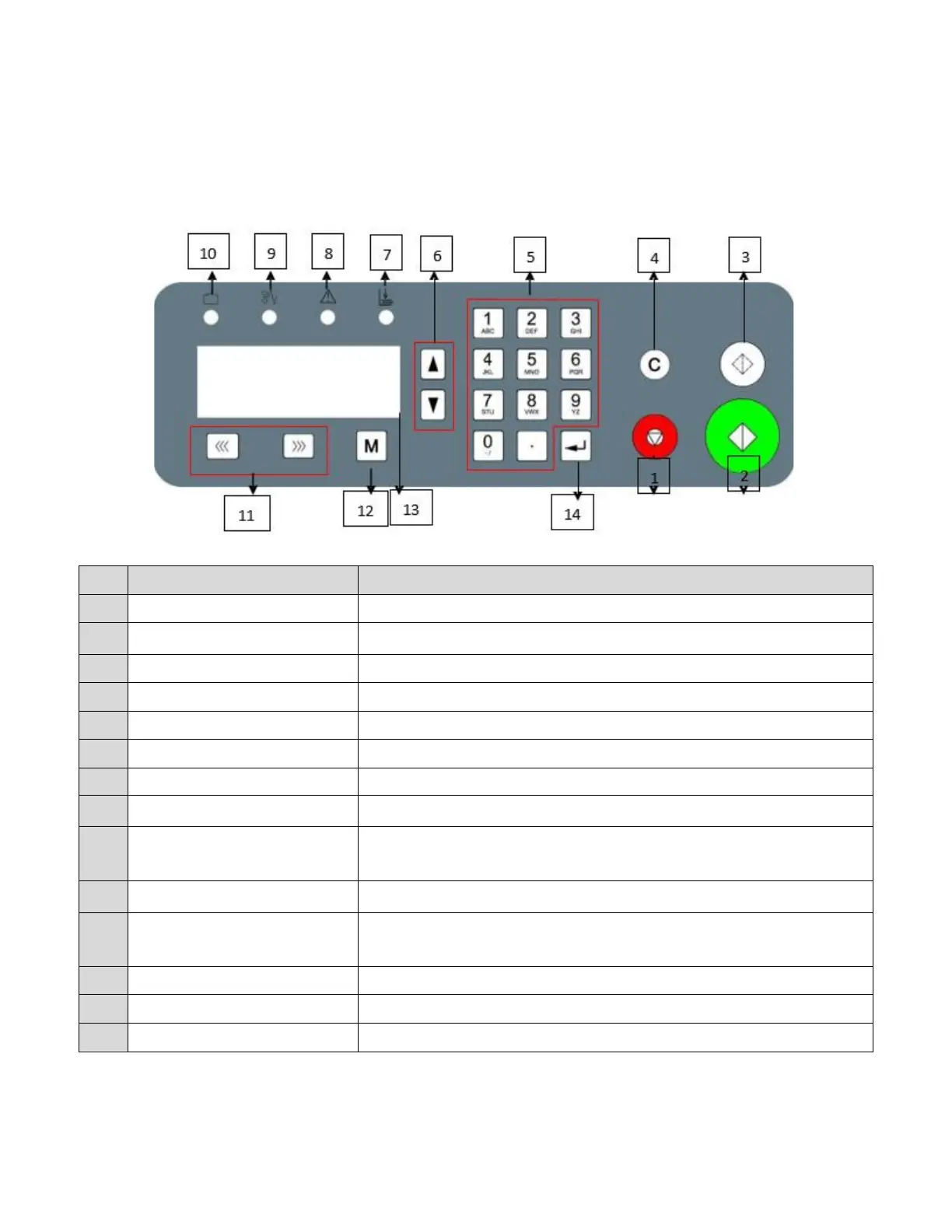
The control panel consists of keys and screen, as per following picture:
Runs a single sheet for testing purposes.
Clears the data or error.
Advance to the next option.
No paper or infeed Jam error indicator.
E-1 CR Motor Error. Indicates a crease motor lock error.
C-2 Jam at in feed error or C-3 Jam at out feed error (see display). Paper
jam error.
C-1 CR cover open. Safety cover is open.
Forward/Reverse
Increase/Decrease
Used to clear jams. Whenever possible, move the paper towards the
outfeed rollers.
Press enter to confirm changes.


 To Next Page