16
5.3.4 Smart Input Mode
Smart Input Mode functions in the same manner as the Job Creator on the PT 335SCC units. A set of parameters is
required and from this set, the SCC will calculate the required cuts for the finished job.
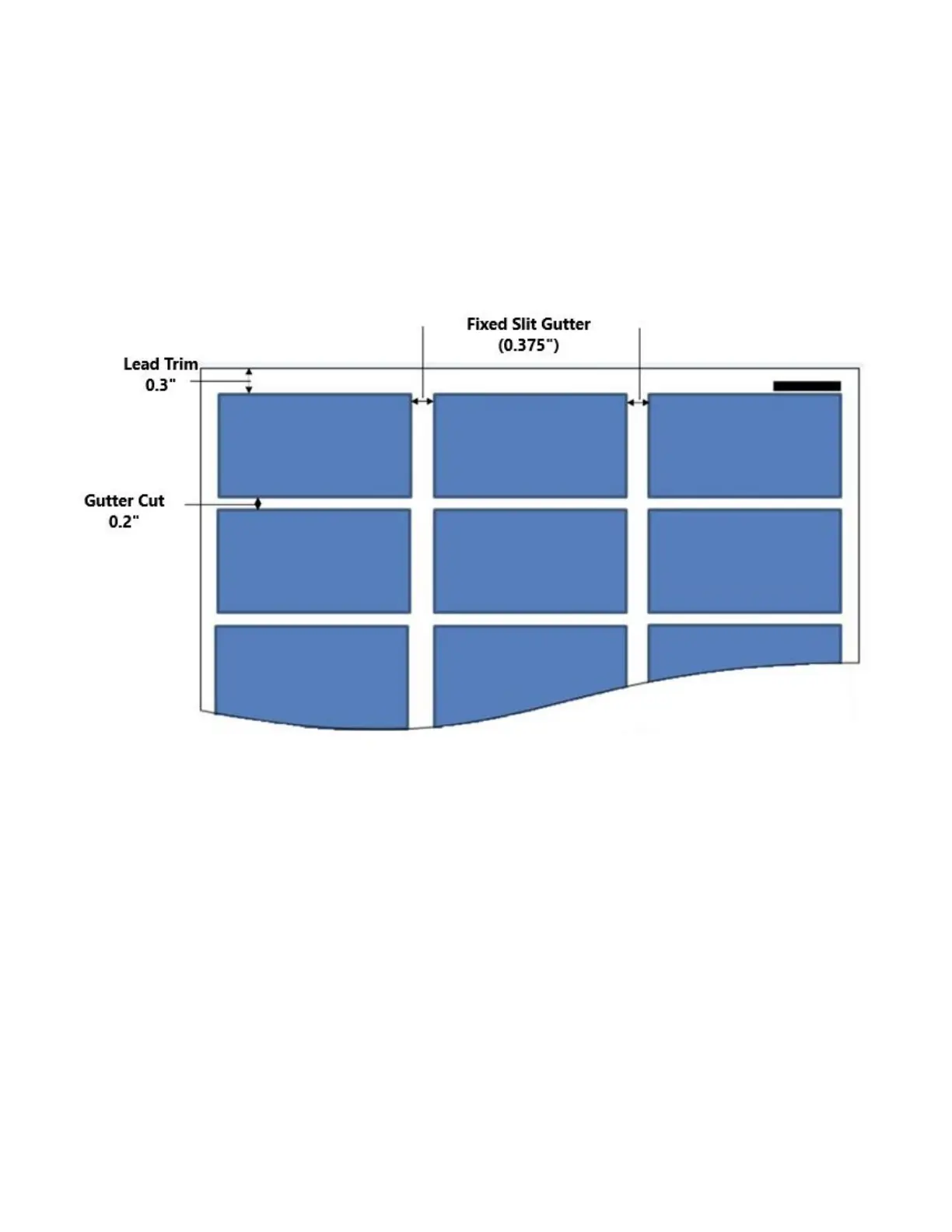
The image below shows a sample layout, 3.5” x 2”. The parameters of the job are as follows:
Lead Trim: 0.3”
Card Length: 2.0”
Gutter Cut: 0.2”
When printing jobs for the PT 331SCC, the image should be centered on the sheet. The PT 331SCC feeder is
center registered. The slit gutters are fixed. The lead edge and the gutter cut indicate the distance of the first card
from the lead edge and the space between the cards. For the GW business card layout, the gutter is 0.2” and the
lead edge is 0.3”.


 To Next Page