39
Chapter 6 Trouble Shooting
6.1 Error and Warning Codes
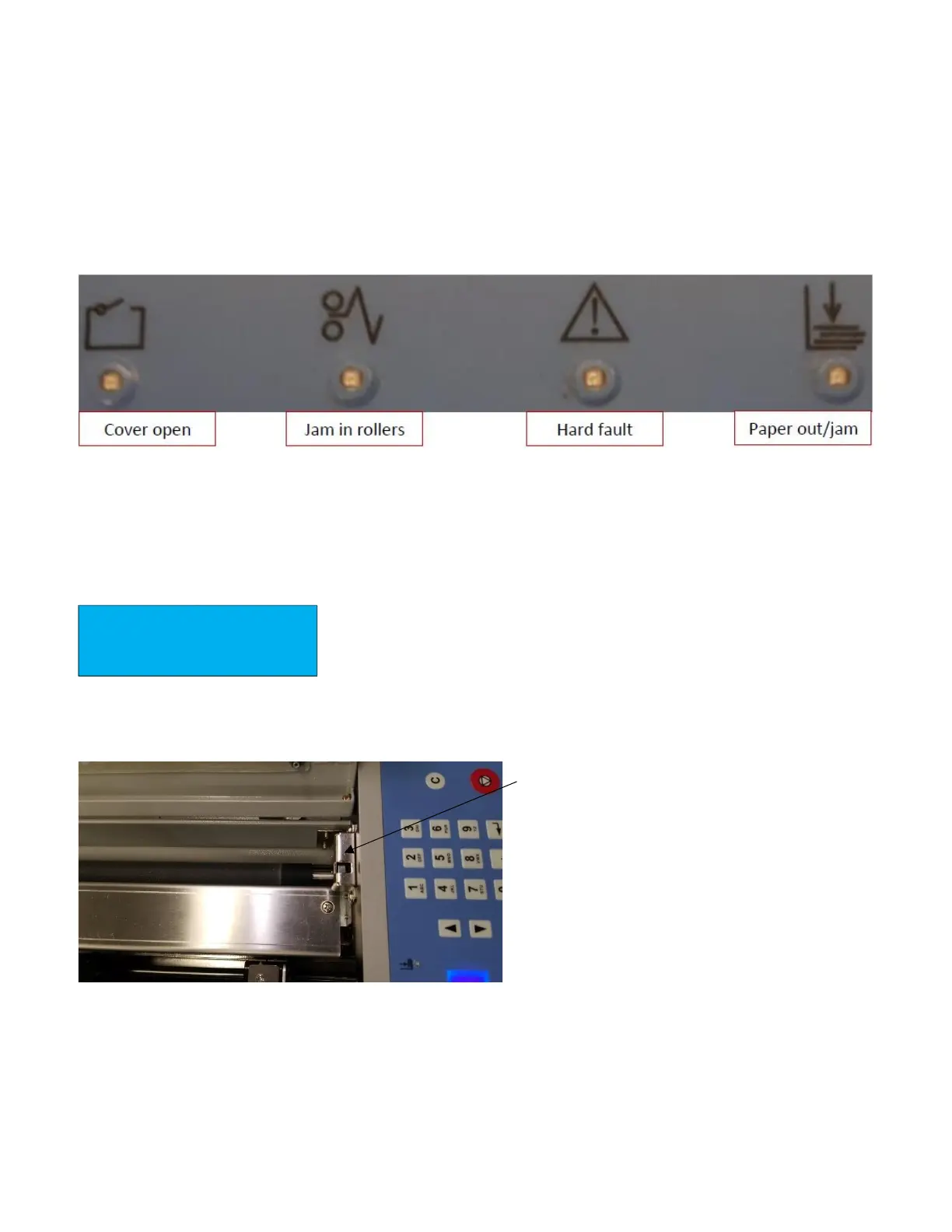
The PT 331SCC has built-in error and warning indicators. When an error or warning is encountered, the coinciding
LED will flash. The PT 331SCC has the following indicators:
C Errors are checks and E Errors are faults
6.1.1 Warning
C – 1 Top Cover Open
The top cover warning is accompanied with a flashing red light below the cover
open icon on the keypad.
If the cover is closed, open the cover, and check the position of the cover
switch. The tab on the cover should activate the switch when closed. The cover switch is located on the operator
side of the PT 331SCC, opposite the keypad.
Test the function of the switch by pressing on the
tab with the cover open. If the error clears, try
closing the cover again. If the error remains with
the cover closed, loosen the two screws that secure
the switch to the chassis of the PT 331SCC and
adjust the position of the switch. When the correct
height is attained, tighten the screws.
If the cover open indicator remains on with the
switch activated, contact your local GW service
dealer for technical support.


 To Next Page