42
6.2 Image Compensation
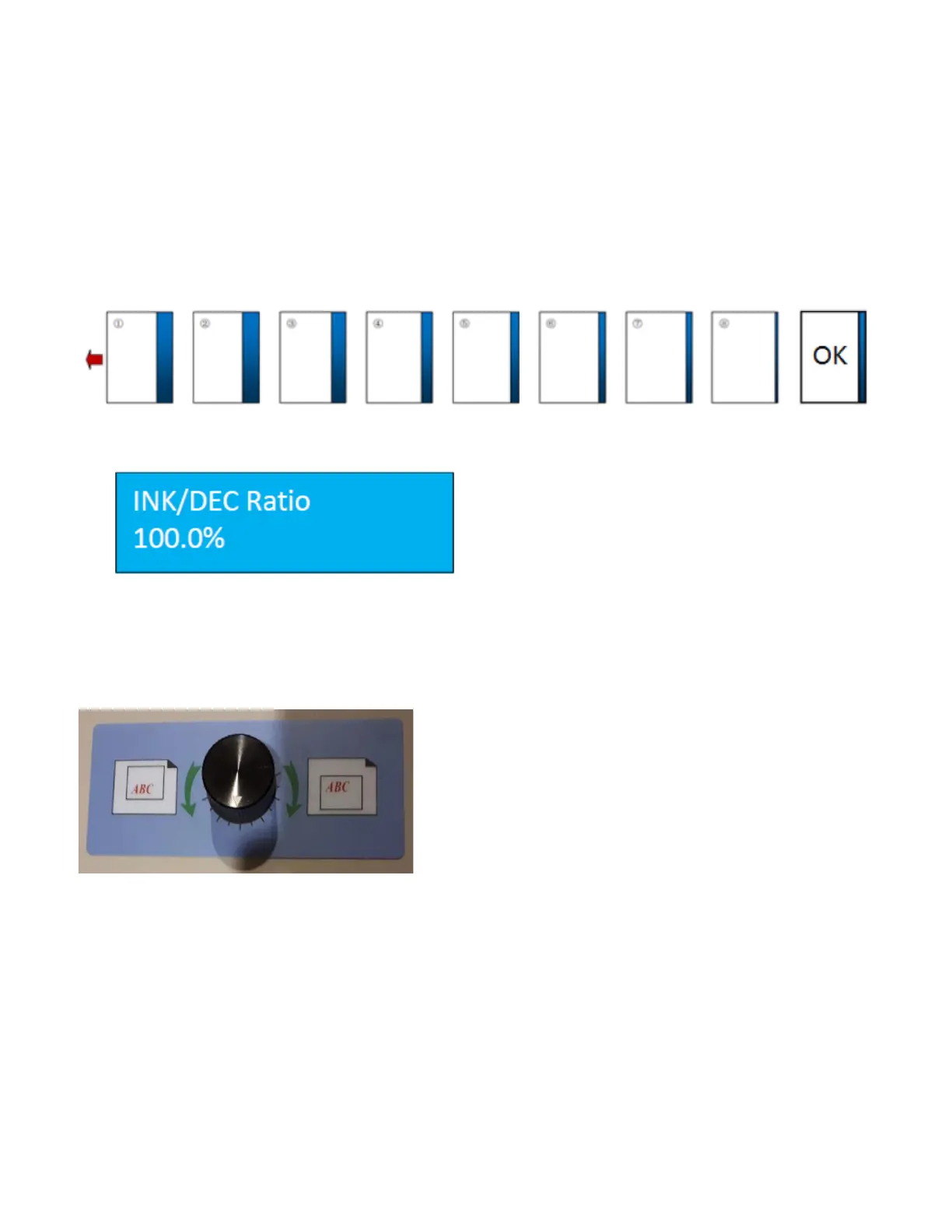
Image compensation helps correct image shift that might have occurred during printing.
Cut Shift Correction
If the job has a registration mark, ensure the mark reader is set to On and the position of the registration mark has
been programmed into the job. Run a test using the register mark and check the image on the cards. The image
below shows an example of image shift.
Press the Mode button until INK/DEC Ratio is displayed. If
no adjustment has been made, the value will be 100%.
Increase or decrease the value by pressing the forward
and backward buttons. The value will change by 0.1% with
each button press. Run a test with each adjustment. All
changes will be saved with a power reset.
Manual Side to Side Adjustment
If the image of the finished job is not centered or requires left
to right adjustment, the PT 331SCC has a manual side to side
adjustment feature.
Before adjusting, ensure locking collars are secured on either
side of the slitter by tightening the set screws. Run a test sheet.
Adjust the slitter position by turning the adjustment knob left or
right, in the direction of the required adjustment. Run test
sheets until the image is centered.


 To Next Page