31
5.5.3 Paper Deflectors
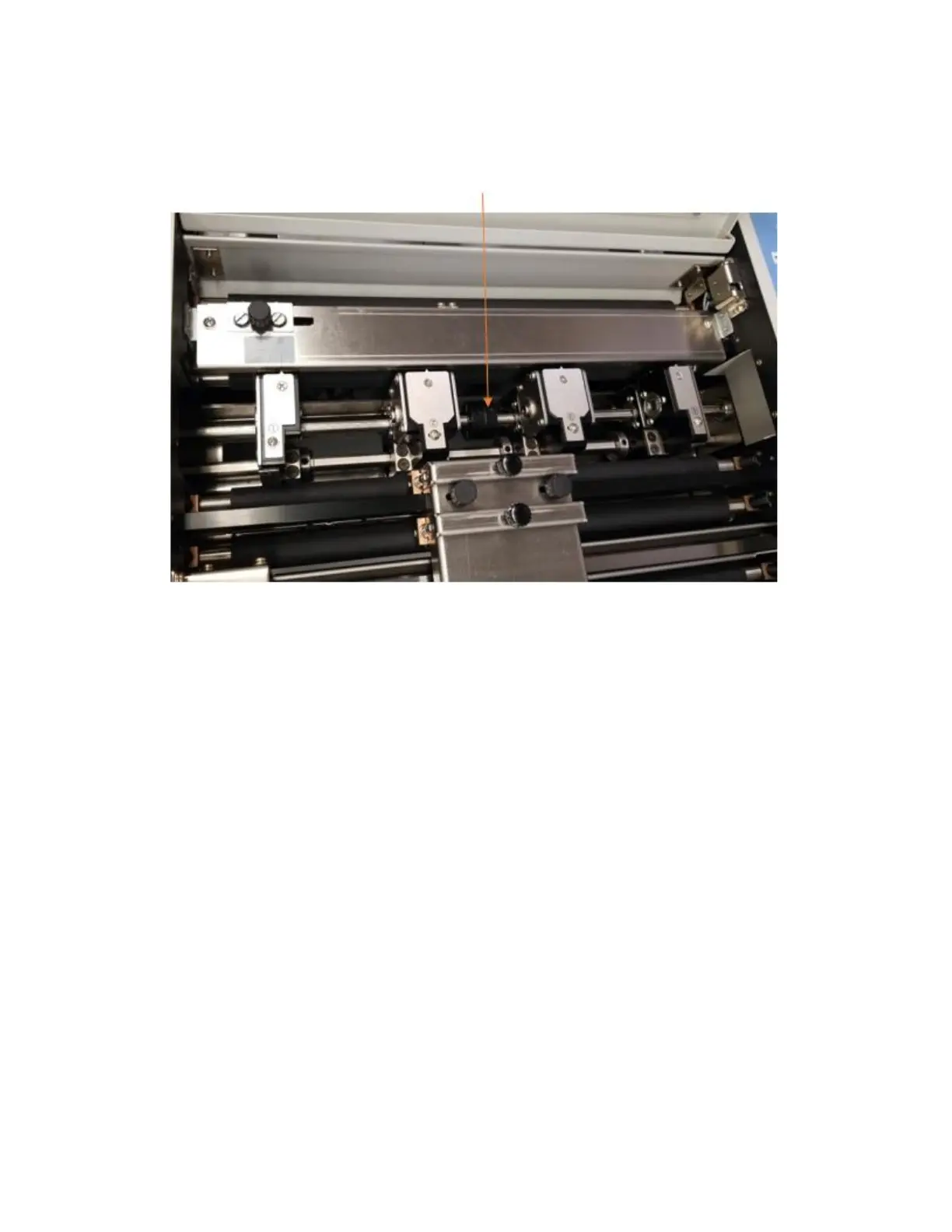
The PT 331SCC is equipped with deflector rollers. These rollers help compensate for paper drop as the sheets pass
through the slitter section. The deflectors should be centered in the machine.
5.5.4 Set Crease Data
• To set the crease parameters, press the Mode Key 6 times, or until Input CR Data is displayed on the screen.
A total of 32 creases can be programmed.
• Input the crease values, pressing Enter between each value to advance to the next line.
• When all values have been programmed, press the Enter button a second time. This will return the 331SCC
to the ready screen.
5.6 Side-Sheet Trimming
5.6.1 Slitter Placement
Set the slitter positions either through the gauge template or manually. When running trim only or trim with crease
jobs, use Slitters 2 and 3 for the trim.
For side trims, the waste trim should be either 0.118”-0.236” (3-6mm) or larger than 0.59” (15mm) to compensate
for the fixed slit gutter. If the side trim is between 0.236” and 0.551”, or less than 0.118”, there is a risk of the paper
pieces getting caught in the slitter blade assembly, potentially causing a jam. Trim larger than 0.59” will not be
diverted to the waste bin and will feed out the exit with the finished job.


 To Next Page