Introduction
1-9
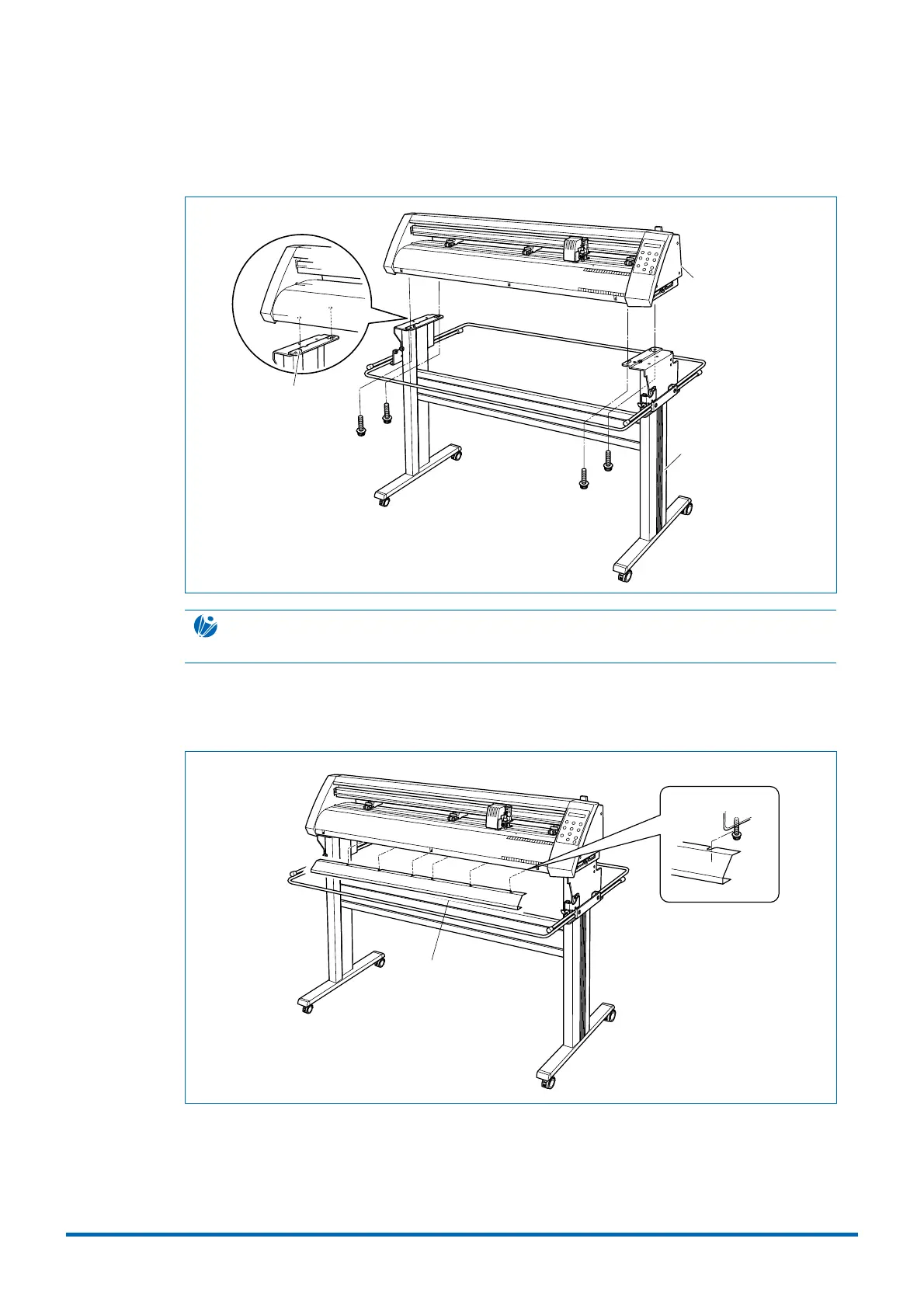
(5) Mount the CE3000-120AP on the stand by inserting the positioning pins on the stand into the
positioning holes on the underside of the cutting plotter and then fasten with the four
hexagonal bolts (M6).
Positioning pin
Hexagonal
socket bolt (M6)
Stand
CE3000-120AP
cutting plotter
CHECKPOINT
Make sure that the casters with the stoppers are at the front.
(6) Attach the media guide bracket to the underside of the front panel. Loosen the six bindhead
screws (M3) two or three turns, and then slot the bracket in. Tighten the screws to hold the
bracket in place.
Media guide bracket
(7) Tighten all the hexagonal bolts that were temporarily fastened in step 1.











 To Next Page