B-11 PROGRAM
30
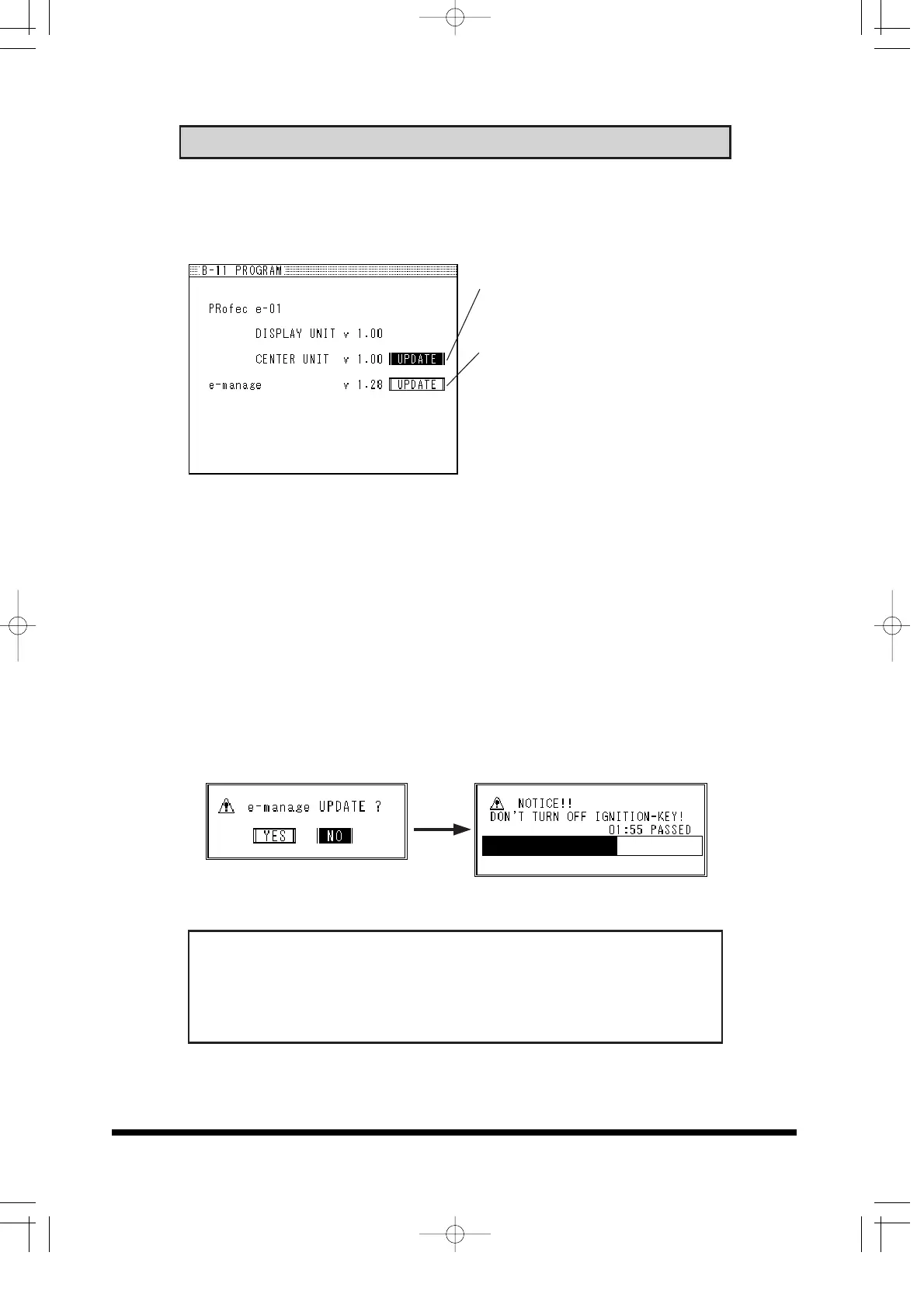
Program Information
Use this feature to check the version type of the Display, Center Unit
and e-manage system.
Center unit update button
e-manage update button
e-manage Update (Communication program download)
• This is necessary to communicate with e-manage.
• If the unit is linked with the e-manage for the first time the download
will start automatically.
• Always perform the download with the ignition "ON" and engine
turned off.
(1) If the 12 pin Ignition Harness is connected to the e-manage,
disconnect it off from the unit.
(2) Choose UPDATE and select YES to start the download.
Download will take approximately 5 minutes.
• Never disconnect the USB communication cable while updating.
• Never turn the ignition OFF while updating.
• Turning the ignition OFF while updating can put the e-manage in
to limp mode. If this occurs, re-update the unit.


 To Next Page