C DISPLAY
32
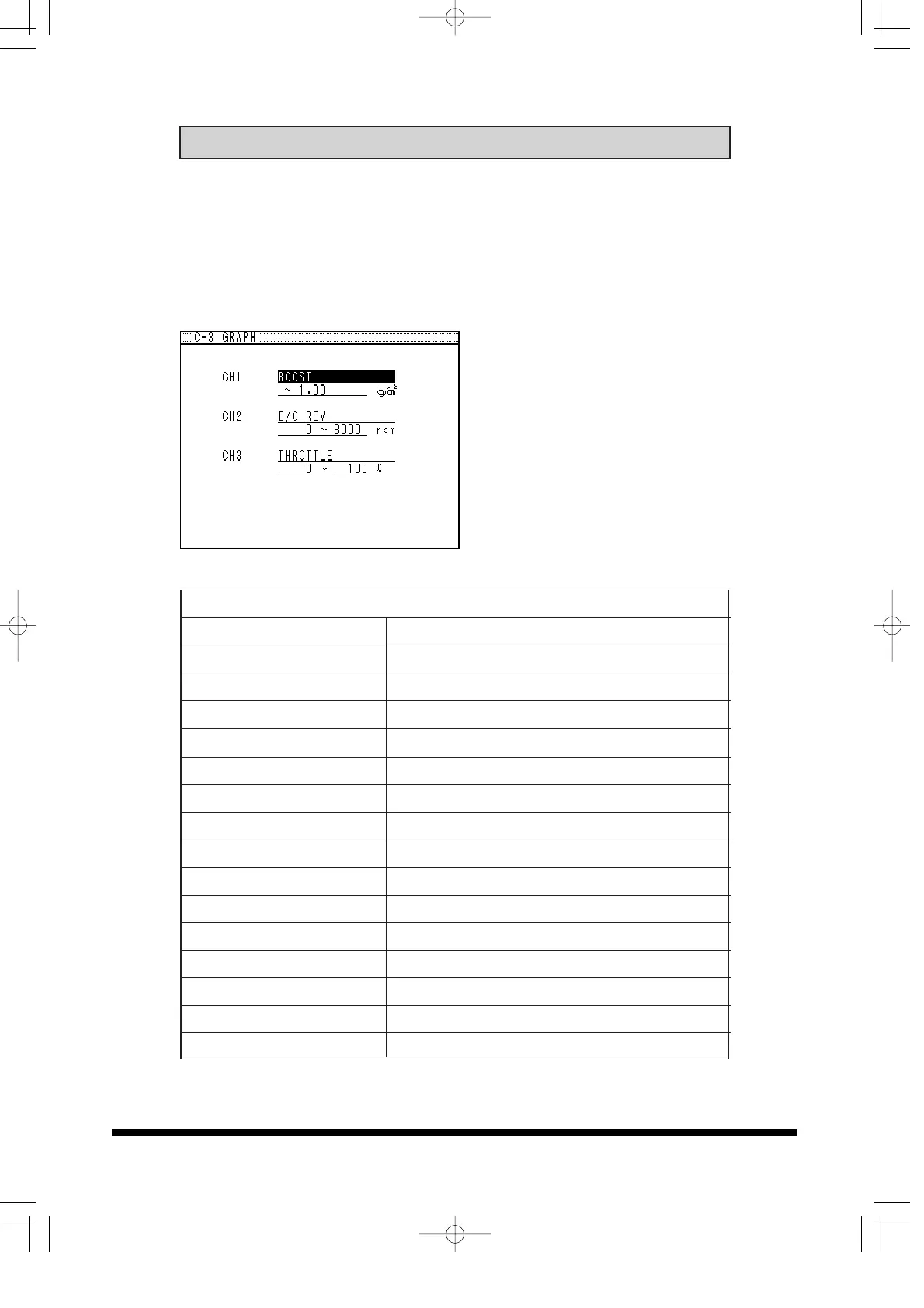
This feature can display 3 input signals at real time such as boost,
rpm, and Throttle position data. There are 4 different display format to
choose from, Digital, Graph, Gauge, and Bar graph. HI, LO boost
selection, SET BOOST , GAIN, START BOOST can be adjusted in
this mode.
ITEM SETUP
(1) Select the data to display
(2) Input the minimum and
maximum of the data range to
display.
(3) Press the SET knob to go to
Display screen
Display data list and description
OFF No Display
BOOST Boost Pressure
E/G Rev Engine rpm
AN CH1 Analog input signal channel 1
AN CH2 Analog input signal channel 2
PL CH1 Pulse input signal channel 1
PL CH12 Pulse input signal channel 2
THROTTLE Throttle position
SOL.DUTY Boost controller solenoid valve duty cycle
AIR FOLW INPUT e-manage airflow meter input signal
AIR FOLW OUTPUT e-manage airflow meter output signal
NORMAL DURATION e-manage Stock injector duration (ms)
NORMAL DUTY CYCLE e-manage stock injector duty cycle (%)
TOTAL DURATION e-manage Stock injector duration (ms)
TOTAL DUTY CYCLE e-manage stock injector duty cycle (%)
IGN. TIMMING ADJ e-manage adjusted ignition timing


 To Next Page