C DISPLAY
36
Recording and Playback Data
All of the input signals can be recorded and played back in the Display
or e-manage Map screen mode.
1. Record
3 hours of input signals (including the e-manage signals) can be
recorded while in the Display mode.
How to Record
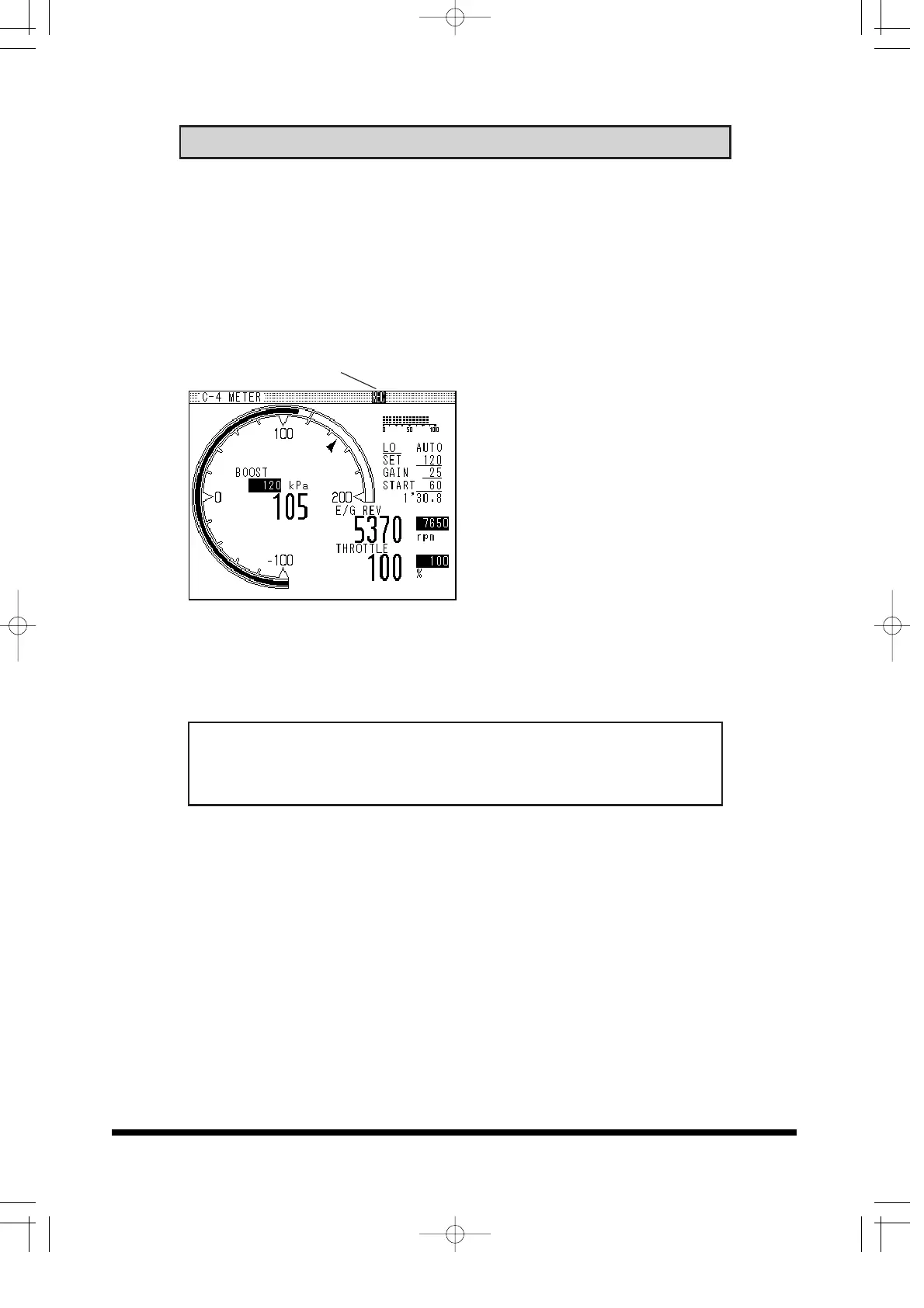
REC indicator (1) To start recording, press the
down button the 4-way
navigation buttons.
When data is being recorded
"REC" will appear in the upper
right hand corner of the title
bar.
(2) Press the down button again
to stop.
• This feature will record and
play back only 1 set of data.
• Rerecording will over write
the previous set of data.
Important!
• This feature will only work in the Data Display Mode
• If the cursor is displayed, this feature will not work.


 To Next Page