C DISPLAY
33
Important!
• The e-manage data in display data list can be selected but, the
data will not display without the e-manage linked.
• Setup the Parameter in e-manage to display the e-manage data.
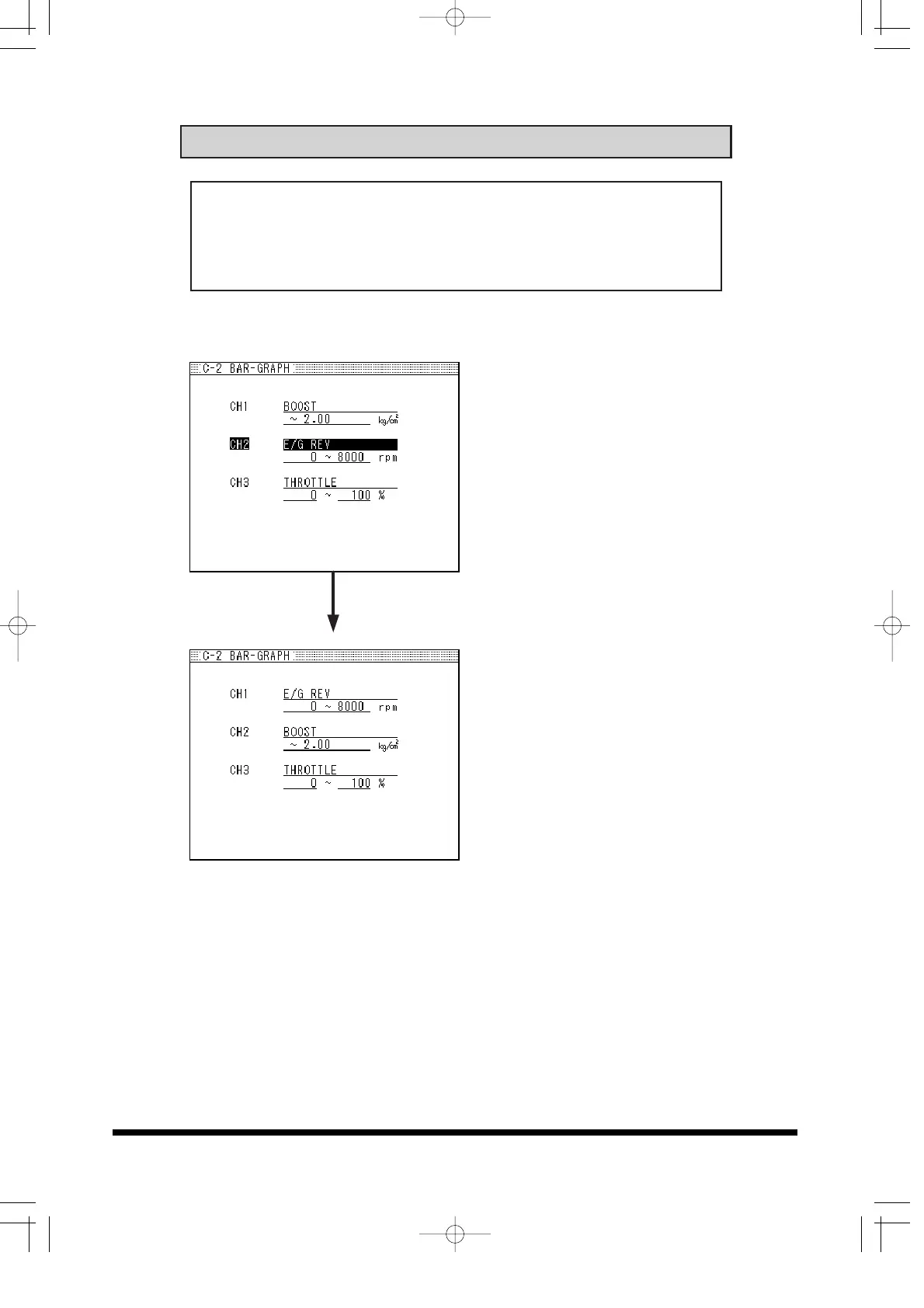
Moving the Channels
-EXAMPLE-
to swap CH2 item in to CH1
spot,
(1) Move the cursor and hi-light
CH2.
(2) Hold down the SHIFT button
and press up button on the 4-
way navigation button.
•To move to CH3, hold down the
SHIFT button and press down
button on the 4-way navigation
button.


 To Next Page