Need help?
Do you have a question about the GReddy e-01 and is the answer not in the manual?
Crucial safety, installation, and operational warnings for product use.
Detailed list of all parts included in the GReddy e-01 package.
Essential tools required for the proper installation of the product.
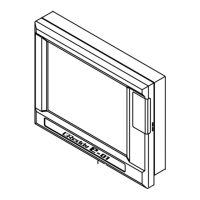
Highlights the main features and functionalities of the GReddy e-01 unit.
Important steps to take before beginning the physical installation of the device.
Visual guide illustrating the overall system layout and component connections.
Step-by-step guide for connecting the wiring harnesses and routing them correctly.
Guidance on securely mounting the display unit in the vehicle.
Steps to verify correct installation and secure connections after mounting.
Explanation of controller buttons, menus, and basic navigation.
Configuration options for boost level selection and adjustment.
Options for initial settings, warnings, and peak hold features.
Overview of different display formats for real-time data.
Instructions for linking and integrating with the e-manage unit.
Setting up vehicle specific parameters like cylinders and sensor types.
Detailed settings for boost control including selection, auto/manual modes, and start boost.
Adjusting the gain to stabilize boost pressure and improve response.
Configuration for the temporary boost increase feature.
Adjusting boost control based on engine RPM points.
Setting up warning indicators, alarms, and boost limiting features.
Configuring data storage for peak boost values and last monitored boost.
Configuring analog input channels for monitoring external signals.
Configuring pulse input channels for monitoring signals like vehicle speed.
Configuring analog output signals for various purposes.
Calibrating the throttle position sensor for accurate readings.
Checking warning meters and verifying input signal integrity.
Adjusting display brightness, contrast, and beep settings.
Checking software versions and performing firmware updates for the unit.
Resetting system settings and handling error messages.
Selecting and configuring data items to be shown on the display.
Navigating between display types and adjusting settings within display modes.
Making real-time adjustments to boost settings within the display interface.
Activating and controlling the Over Take Boost feature from the display.
Functionality for recording and replaying input signals and e-manage data.
Reviewing recorded data, including pause and fast-forward functions.
Steps for linking the e-01 unit with the e-manage system.
Overview of capabilities like injector control, airflow adjustment, and boost limiting.
Information on optional harnesses for injector and ignition control.
Tuning fuel enrichment by adjusting the airflow meter or MAP sensor input signal.
Configuring the use of an optional GReddy pressure sensor for map scaling.
Adjusting airflow meter and injector settings for upgraded components.
Selecting required maps and confirming parameter changes to the e-manage unit.
Detailed strategy for tuning fuel enrichment via the airflow adjustment map.
Adjusting the engine's ignition timing based on various load and RPM conditions.
Configuring additional fuel injection via injector duty cycle adjustments.
Managing sub-injector activation and duty cycle for increased fuel delivery.
Features to eliminate factory boost limiters and prevent ECU fuel cut.
Preventing engine stall or rough idle by adjusting airflow signals.
Setting VTEC engagement points and adjusting airflow for optimal performance.
Managing data by importing, exporting, and saving/loading to the SD memory card.
Resetting e-manage settings and setting up password protection for security.
Reference guide for error codes and their corresponding descriptions and solutions.
 General
| Brand | GReddy |
|---|---|
| Model | e-01 |
| Category | Controller |
| Language | English |

 To Next Page