D e-manage Operation
41
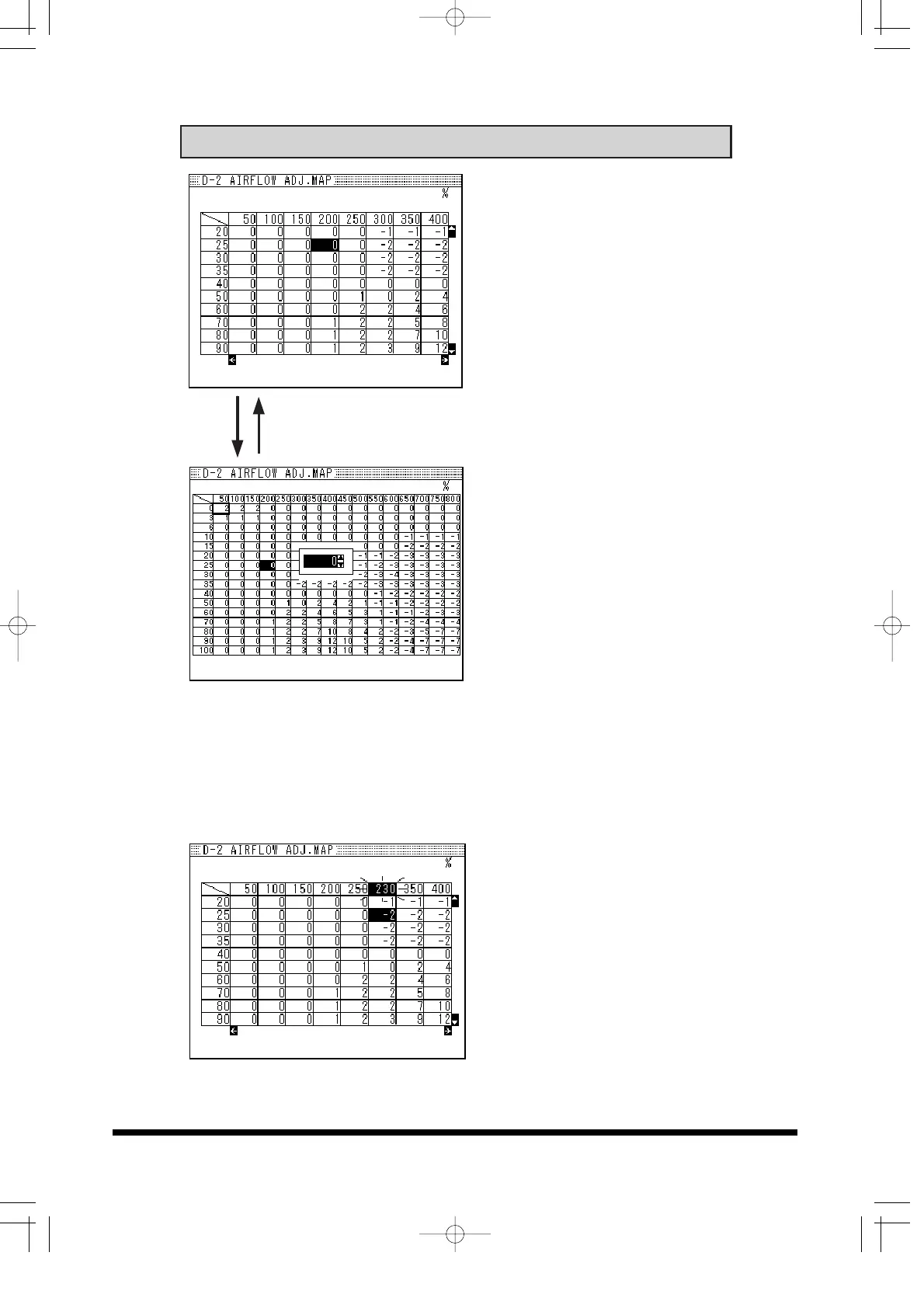
1. Zoom Map screen in and out
Press SET knob while holding
down SHIFT button.
Press SET knob while holding
down SHIFT button.
2. Inputting Values
Move the cursor to the target
cell using the 4-way
navigation button, and press
SET knob to select the cell.
Input the value by turning the
SET knob or up / down key,
and press SET knob to
confirm the value.
3. Scale Change
Change the scale of each
Map by moving the cursor to
the target cell and press SET
knob to select the cell.
Input the value by turning the
SET knob or up / down key,
and press SET knob to
confirm the value.


 To Next Page