Chapter 1 Operation Mode and Display
209
Ⅱ Operation
1.3.8 Graphic interface
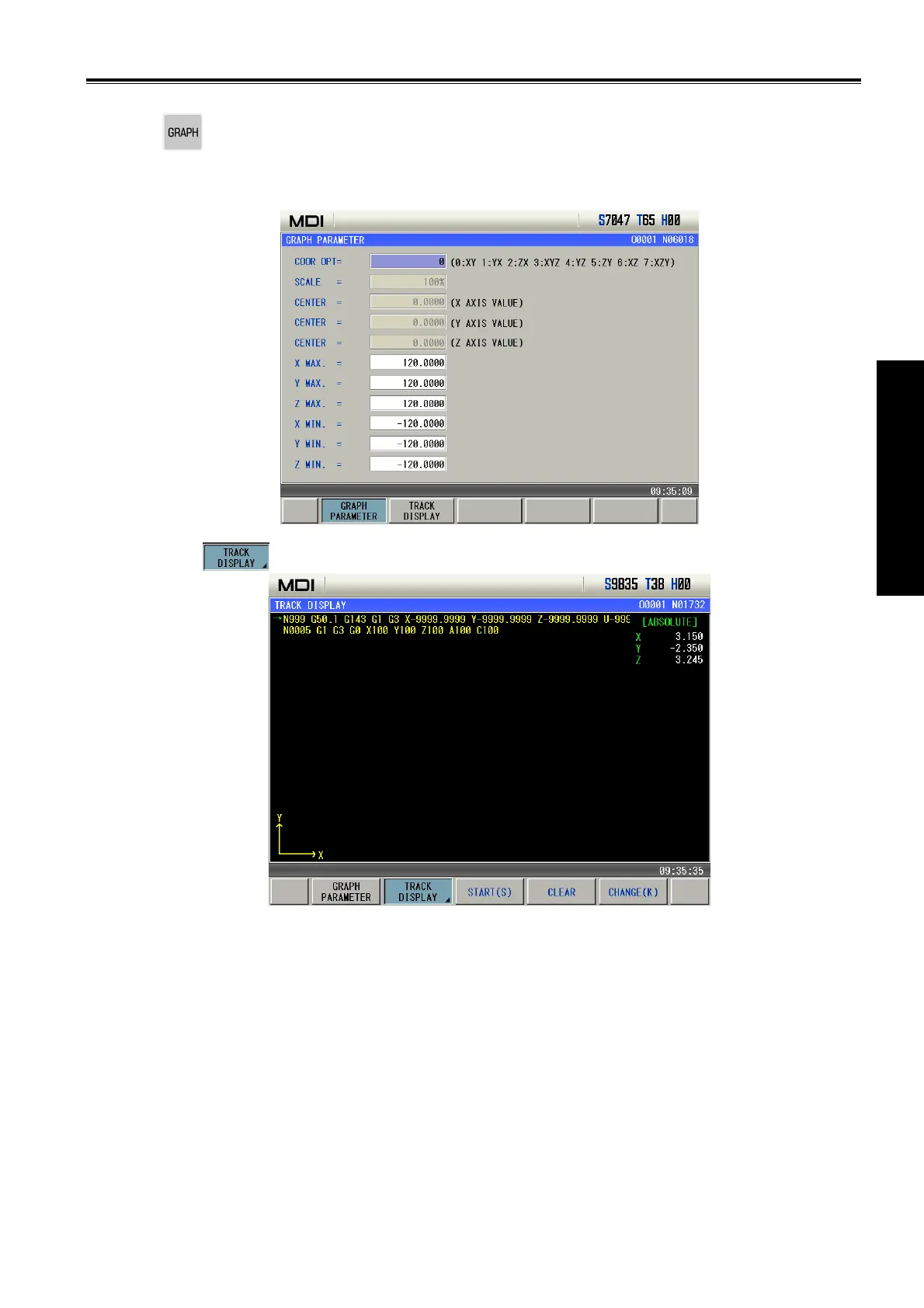
Press to enter graph interface including graph parameter and graph track page.
1. Graph parameter
In graph parameter page, the user can input boundary values of canvas and coordinate system of
graph track display, and the input numerical value is memorized after power-off, which is shown below:
2. Graph track
Press
to enter the graph track page as follows:
In graph track page, the user can execute operations including start (sketch), stop(stetch), (graph)
zoom(=/-), clear, change, move and so on. The above displays the current block and the next in Auto
mode.


 To Next Page