Chapter 10 Document Management
291
Ⅱ Operation
Pitch compensation 2
Ladder parameter 2、3
Ladder 2
z Ladder diagram upgrading (UÆCNC)
Transmitted data Operation
mode
Authority of
CNC
Program
switch
Parameter
switch
System software
upgrading
MDI mode 2
9.4 Parameter Operation
The user data (such as bit parameter and pitch data) can be backup (saved) and restored (read) in
this GSK980MDc system. It doesn’t affect the part programs stored in the CNC system
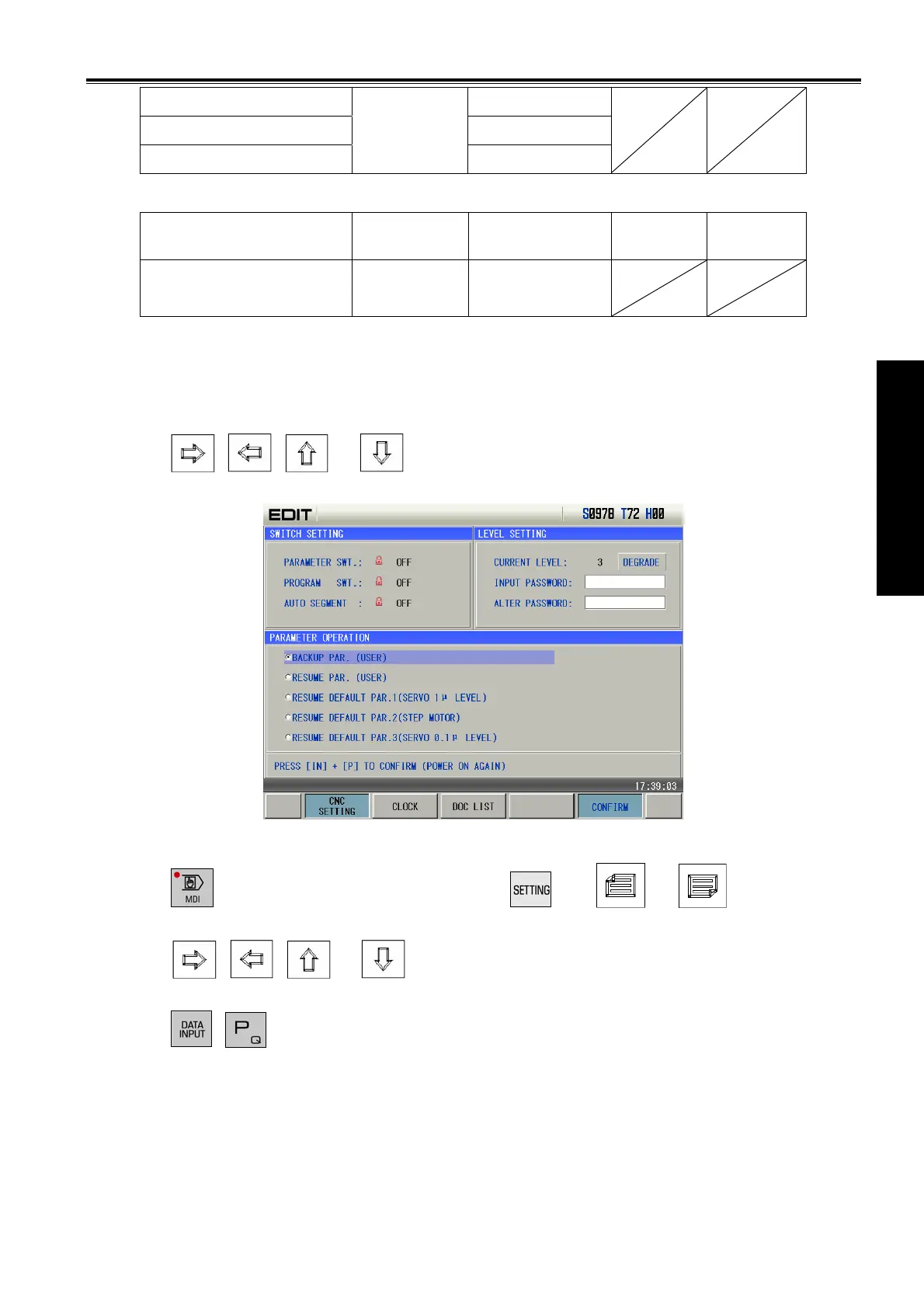
while backuping and restoring these data. The backup page is as follows:
Press
, , or key repeatedly, “SWITCH SETTING”, “LEVEL SETTING and
“PARAMETER OPERATION” pages can be switched.
z Turn on the parameter switch;
z
Press
key to enter the MDI mode, then press
key (
or key if necessary)
to enter LEVEL SETTING page;
z Press
, , or
, and switch to the parameter operation page.
z Move the cursor to the desired item;
z Press
. keys together.
Note: Don’t cut off the power in the backup and restore operation of the data, and no other operation is suggested
to be performed before the aforesaid operation is prompted to be finished.
Example: to resume the CNC parameters to backup parameters, the steps are as follows:
Turn on the parameter switch, and enter the Backup PAR. page in MDI mode, move the cursor to
the place before “Resume”, which is shown below:


 To Next Page