Installation
Service Manual for the Accutherm Ultra Printer 2-5
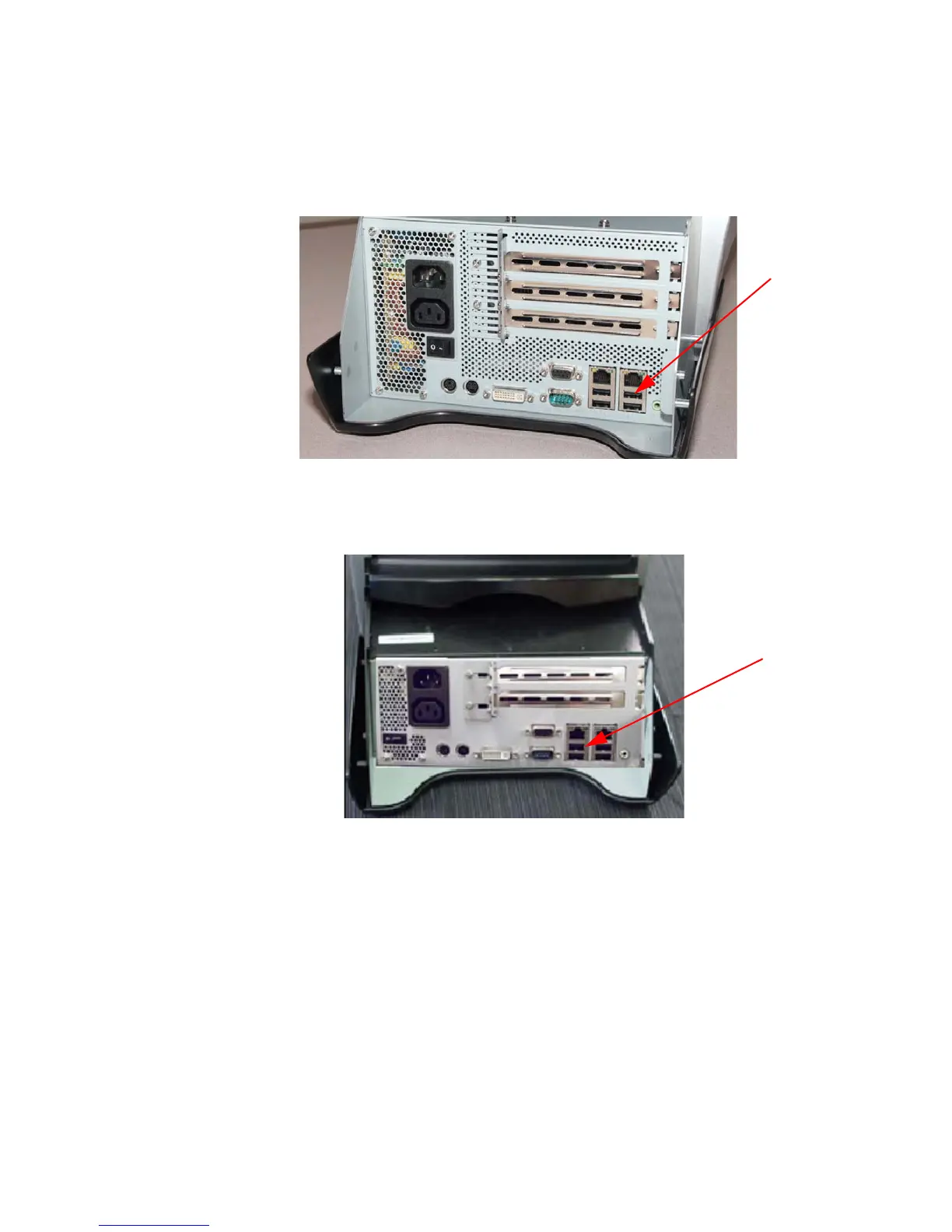
4. Plug the Accutherm Ultra’s USB data cable into the USB connector on your
terminal. See Figure 2-4 and Figure 2-5 for GT1200 and GT1100 connections.
Figure 2-4. GT1200 USB Connection
Figure 2-5. GT1100 USB Connections
5. Install a paper roll into the printer (see page 2-6 for paper loading
instructions).
6. Complete all required connections for
the terminal.
7. Apply power to both pieces of equipment.



 To Next Page