Disassembly
Service Manual for the Accutherm Ultra Printer 7-7
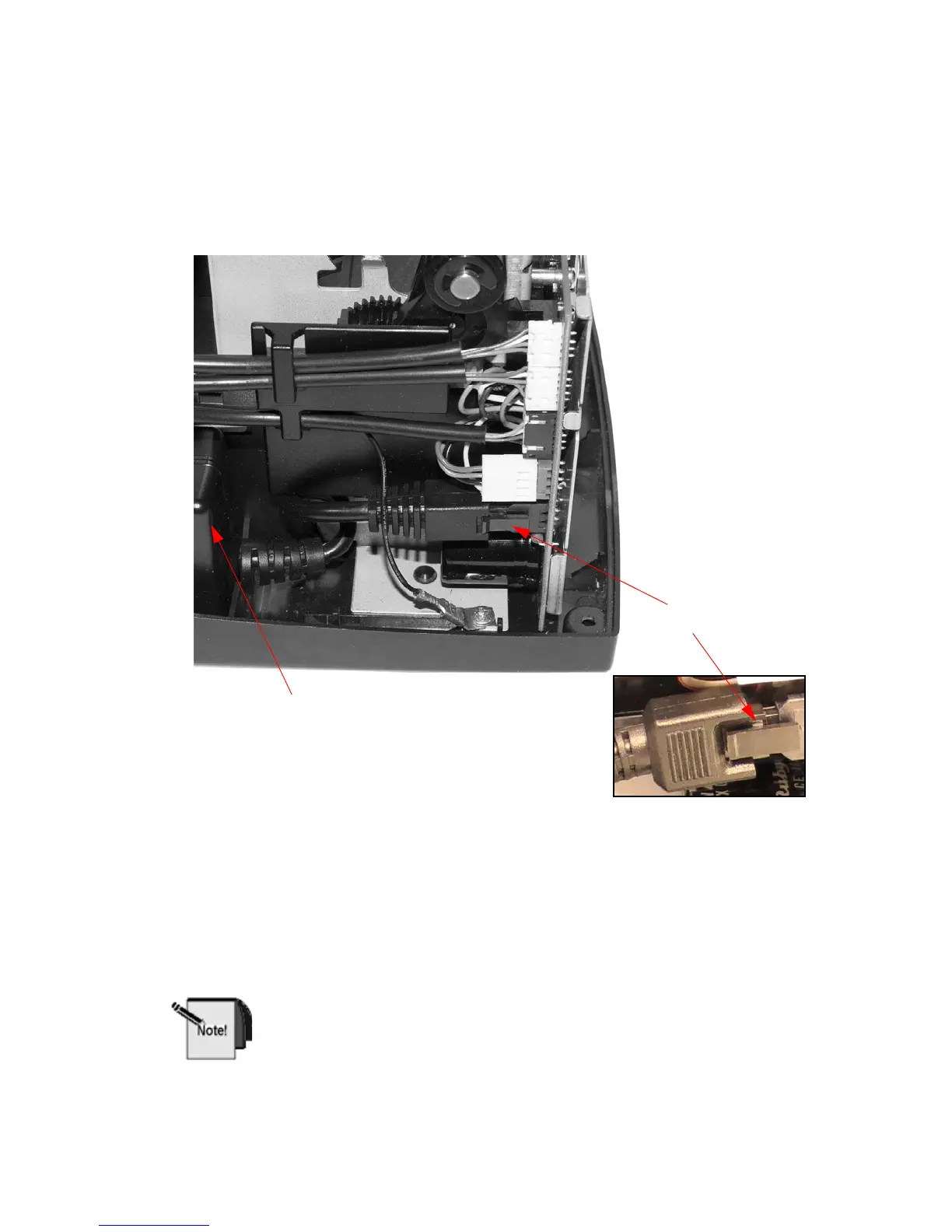
Remove the Power Supply from the Base
Assembly
Figure 7-7. Remove Power Supply
1. Unplug the Power Supply from the Main
Controller PCB Assembly. To do so,
press on locking clip to release the plug from the PCB Assembly (see inset).
2. Lift the Power Supply out of
the Base Assembly.
When you reinstall the Power Supply, make sure that the label faces
inward; otherwise, it will not plug in correctly.
Power Supply
Power Supply Release
Clip and Plug



 To Next Page