Disassembly
Service Manual for the Accutherm Ultra Printer 7-13
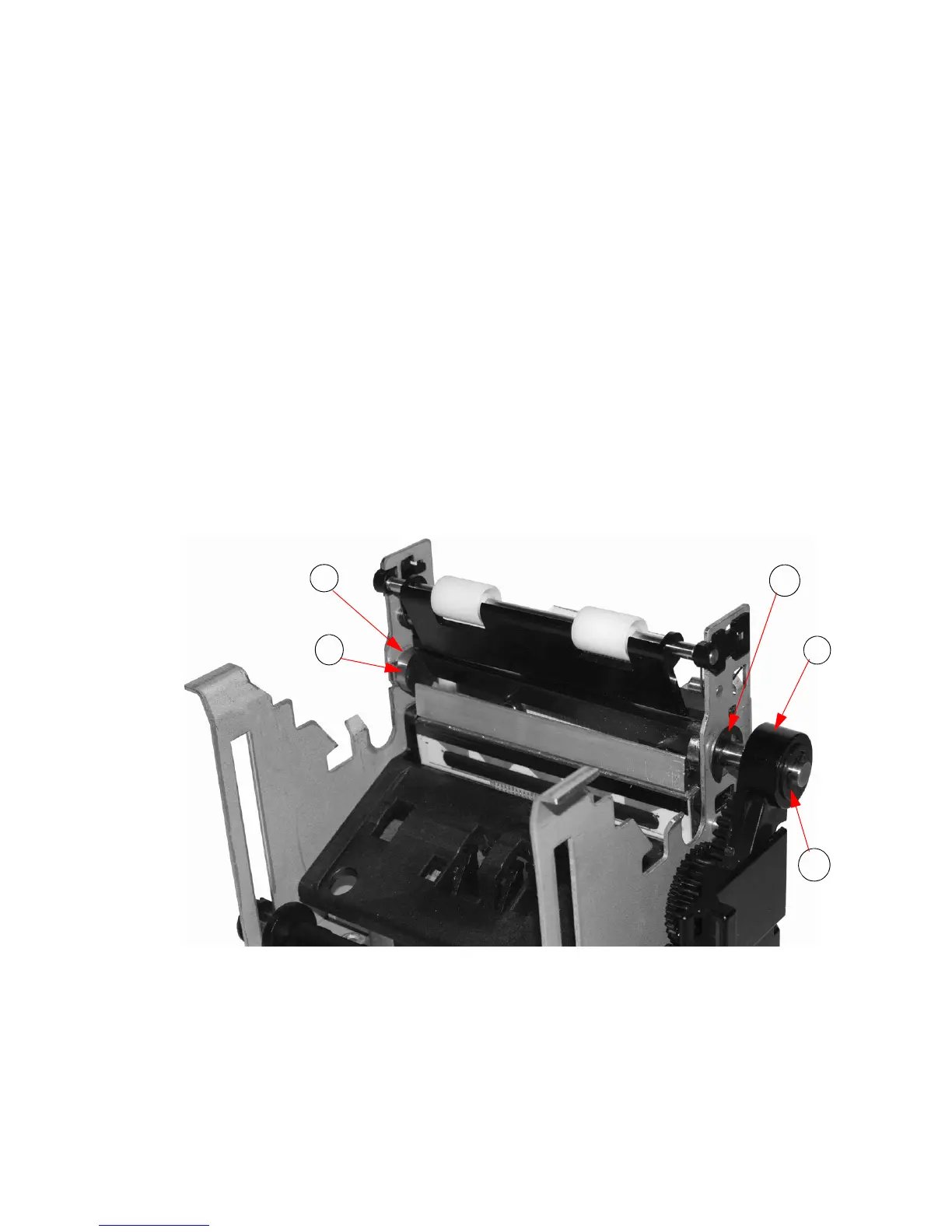
Remove the Rotary Knife from the Printer
Mechanism Assembly (Lower Print
Mechanism)
REMEMBER TO USE ESD PRECAUTIONS
To remove the Rotary Knife from the Printer Mechanism Assembly:
1. Rotate the Knife Arm forward until it clears the Gear Cover.
2. Remove the outside E-Clip, allowing
you to pull the arm off the shaft.
3. Remove the left and right E-Clips from
the Rotative Blade.
4. Remove the left and right bushings.
5. Press the Print Head in and down to provide
access for the rotary knife blade
removal.
Now you should be able to remove
the rotary knife blade.
Figure 7-11. Remove Rotary Knife from
Printer Mechanism Assembly



 To Next Page