7-4 GTECH Technical Training and Support Services
Remove the Cover Assembly
To remove the cover assembly:
1. Open the Paper Cover Assembly and remove the Paper Roll, if present.
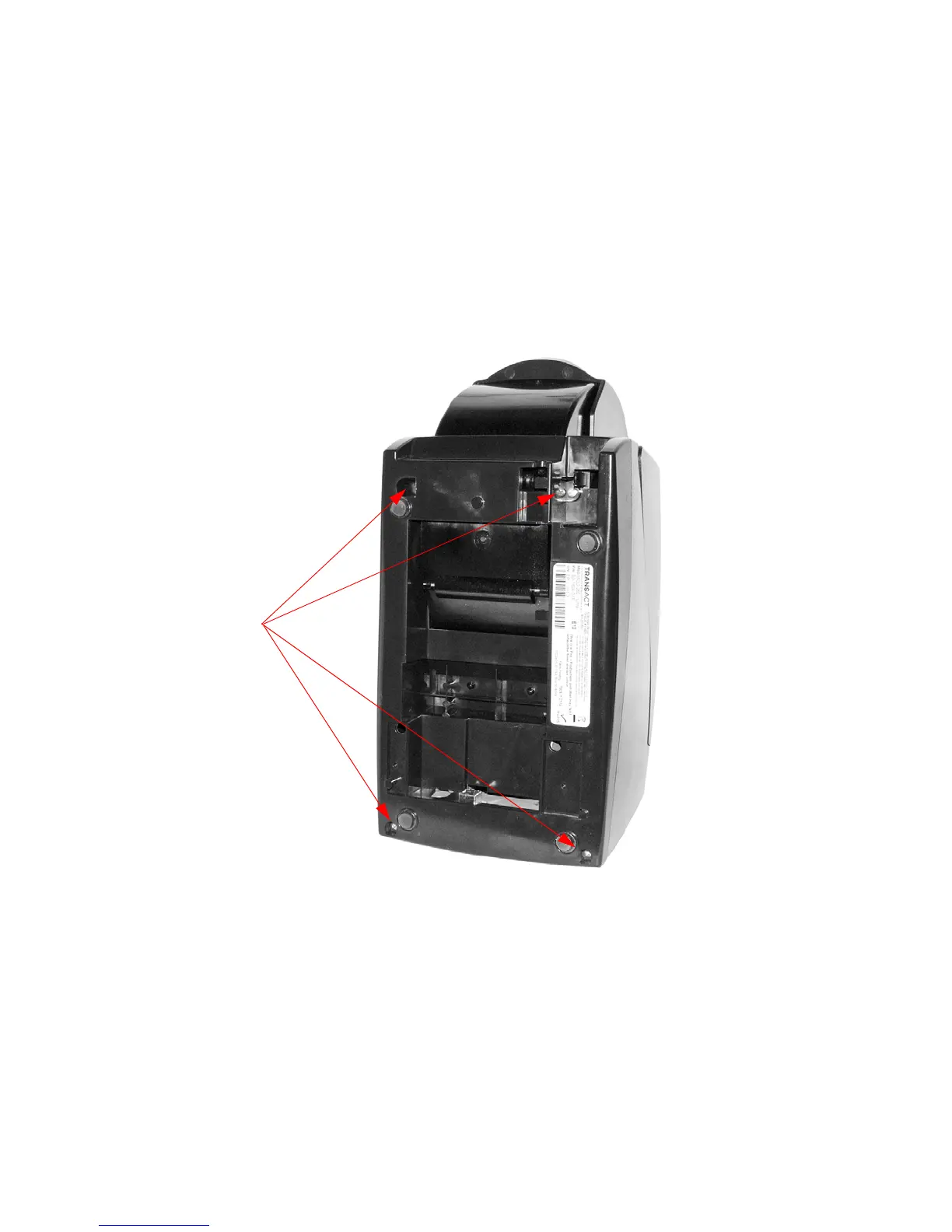
2. Turn the printer over and remove the four
(4) #6 screws holding the Base to
the Midframe (Figure 7-3).
Figure 7-3. Remove Screws Holding Base
to Midframe



 To Next Page