8-10 GTECH Technical Training and Support Services
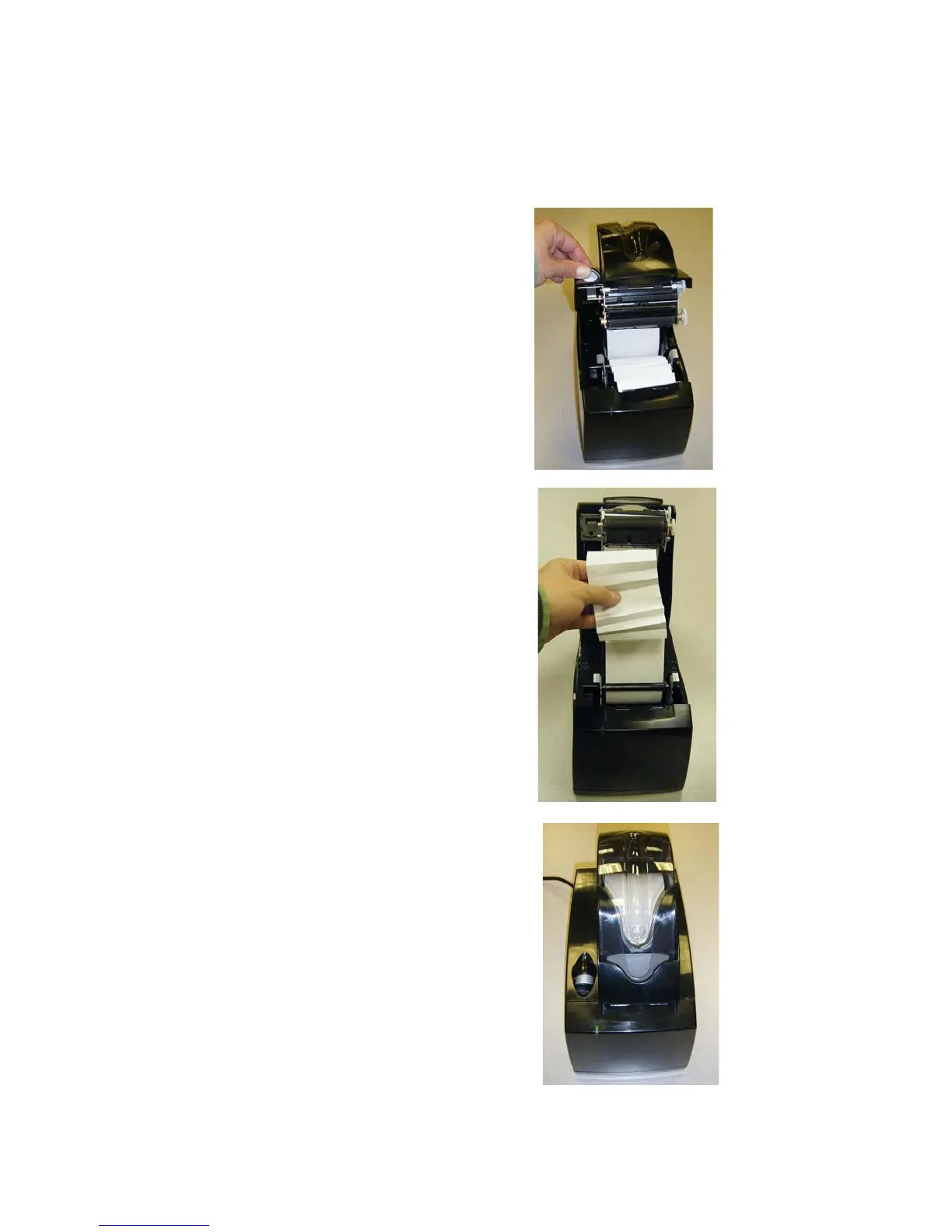
Clearing a Paper Jam
1. Press back on the cover latch
button.
2. Raise the paper cover to the Open
position.
3. Grasp the jammed paper and gently
pull t
o un-jam it from the inside of
the printer.
4. Advance the paper roll so that the
jammed portion
and a few
additional inches are outside of the
printer.
5. Close the paper cover firmly so
tha
t latches securely.
6. The paper will feed automatically
to align itself and
the printer will
automatically cut off the excess
paper.



 To Next Page