Disassembly
Service Manual for the Accutherm Ultra Printer 7-21
Remove Fixed Blade from the Knife/Stacker
Assembly
REMEMBER TO USE ESD PRECAUTIONS
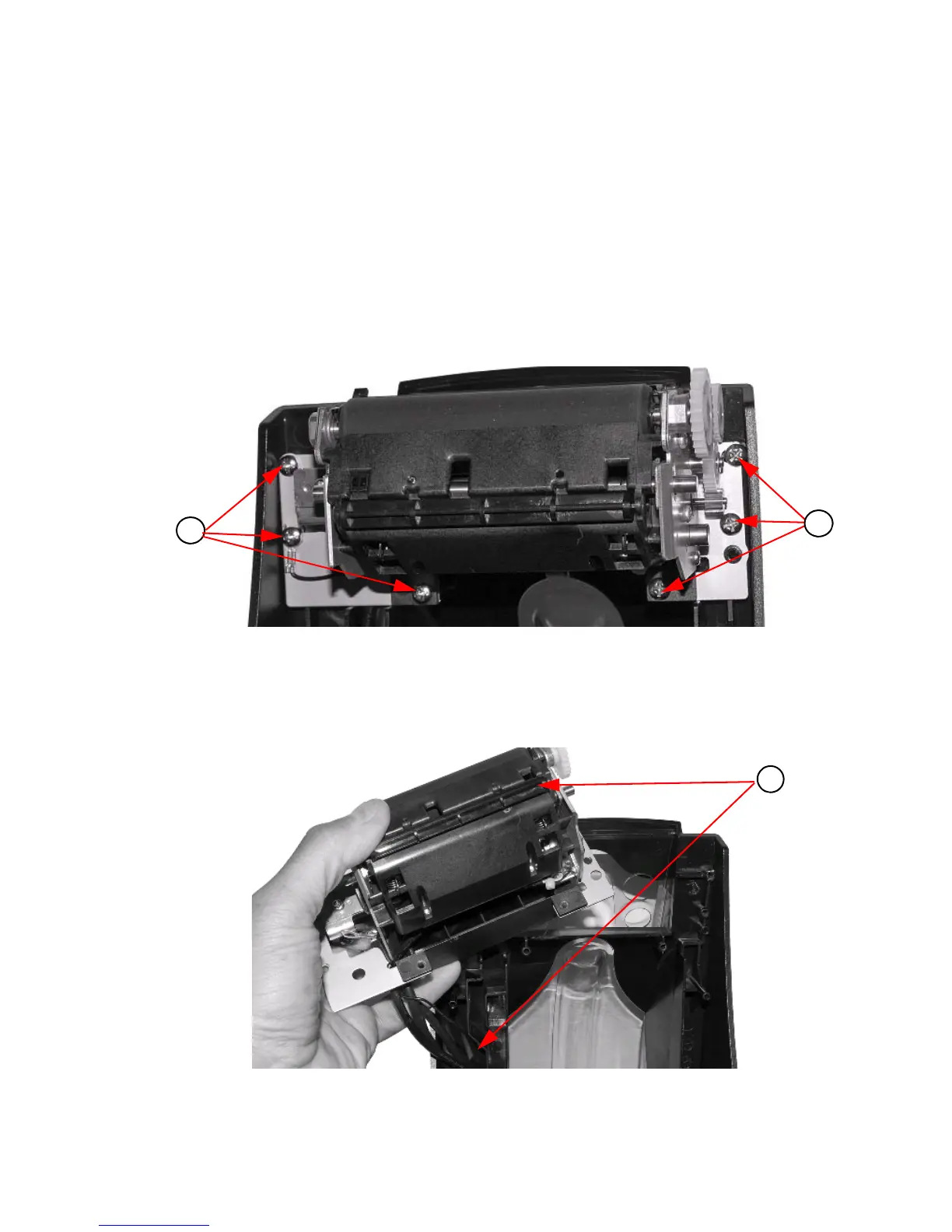
To remove the fixed blade from the Knife/Stacker Assembly:
1. Remove (6) #6 thread forming screws retaining knife/stac
ker assembly to the
cover.
Figure 7-21. Remove #6 Screws
2. Remove knife/stacker assembly from the
paper cover. Remove wire harnesses
from the wire retention features in the cover.
Figure 7-22. Remove Knife/Stacker Assembly from Paper Cover



 To Next Page