Disassembly
Service Manual for the Accutherm Ultra Printer 7-15
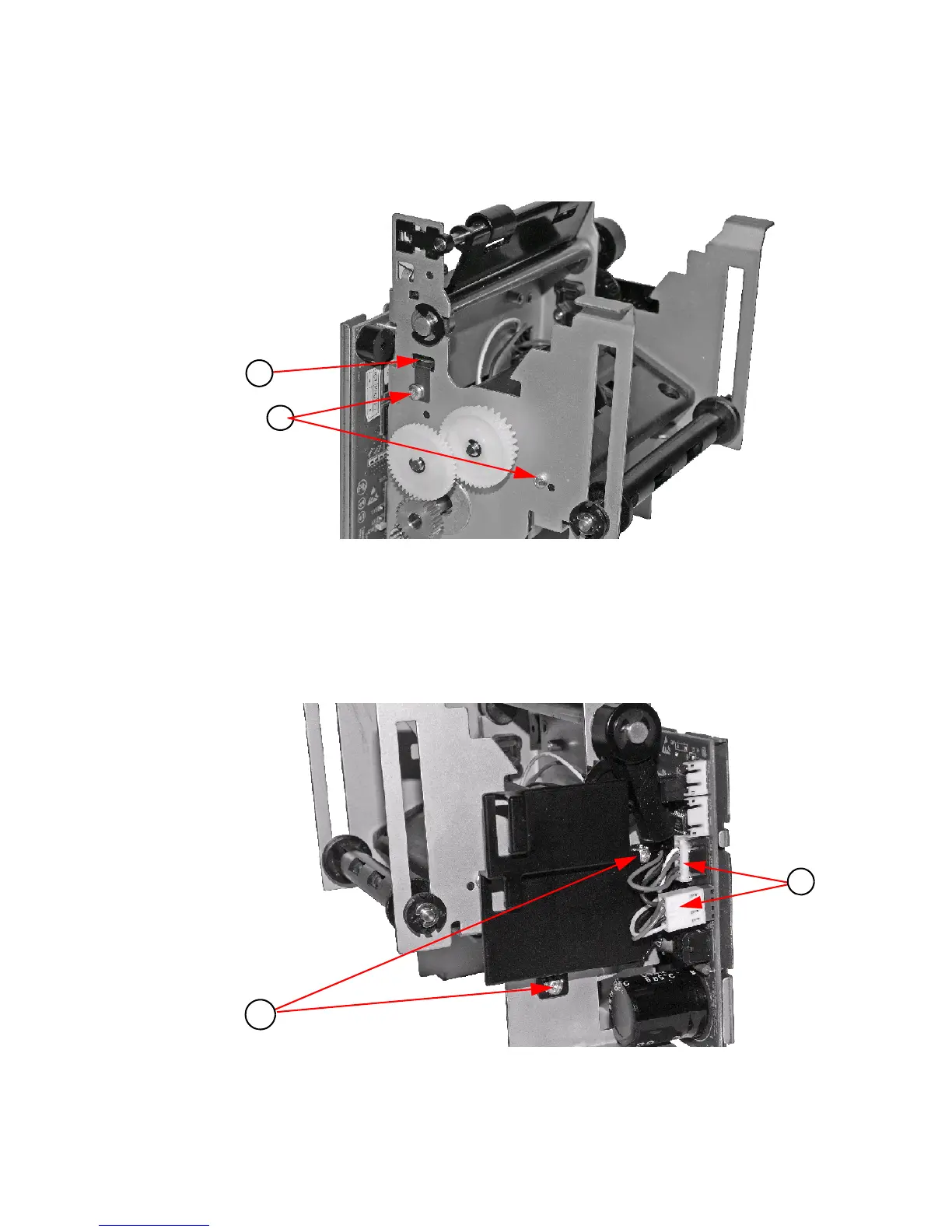
3. Remove the two (2) #4 Thread forming Screws.
4. Remove the Print Head Ground.
Figure 7-13. Remove 2 Thread Forming sc
rews and Print Head Ground
5. Unplug connectors.
6. Remove two (2) M3 screws holding PCB Shield/Knife Motor
to frame.
(Optional - Replace one (1) M3 screw to hold the
Motor in position for
remaining disassembly).
Figure 7-14. Unplug Connectors and Remove Two (2) M3 Screws



 To Next Page