Trophy72 | Service instructions 72 | Service instructions
Starting the service menu for advanced electronics (ID-no > QT02400)
E
E
C
I
G
P BSR R
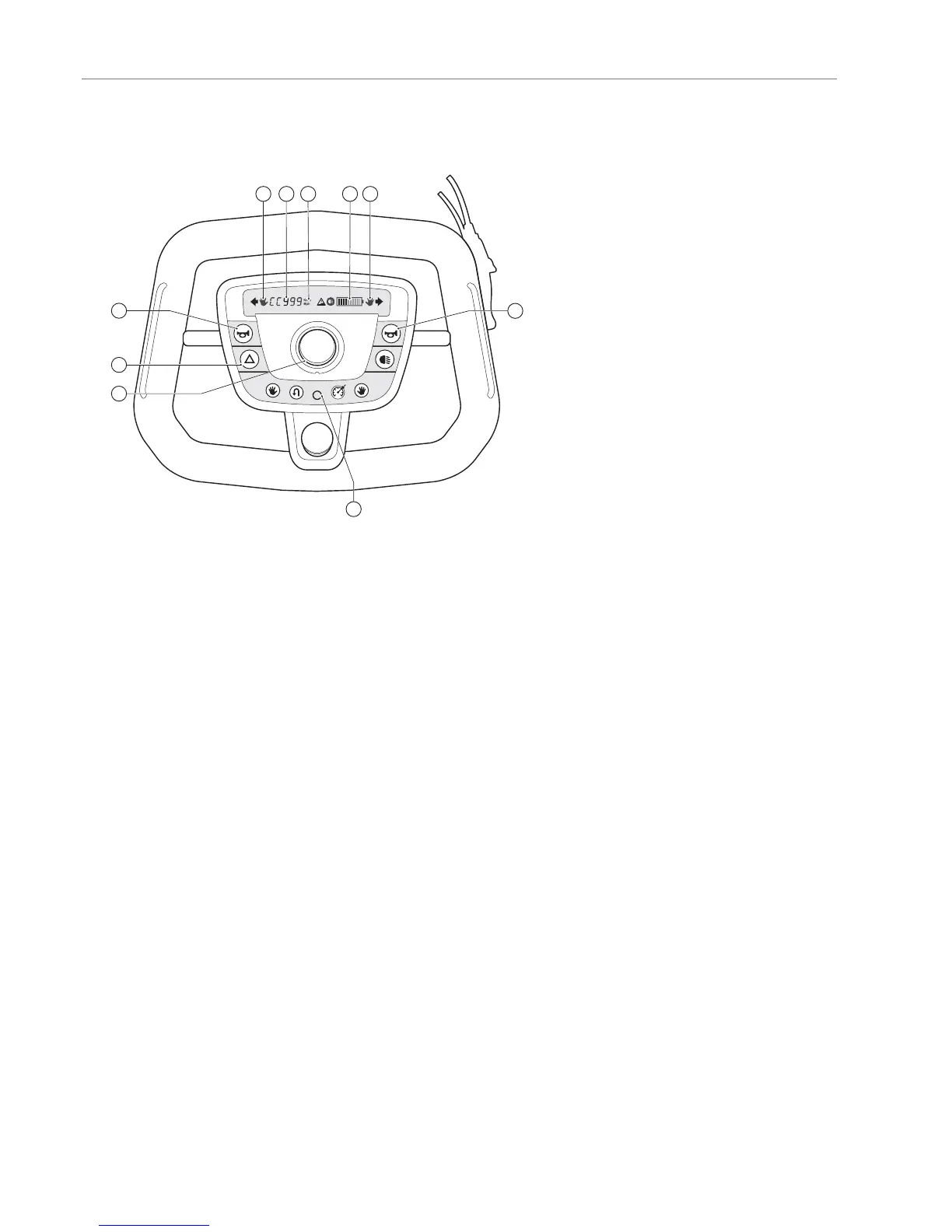
Pushing the hazard-button (G) together with the claxon-button (E) more than 2 seconds, the service menu shall be visible.
• First information shown after starting the service menu is the “Total km-1”
• Pushing the hazard button again (G) allows you to scroll through the menu shown below.
• If any other button (other than the DSS (I), horn (E), hazard button (G)) is switched during the service menu, the display
returns to the user menu and will show “actual speed”
When the batteries of the scooter are removed the service information shall not get lost for at least 1 year.
The display will blink at a frequency of 1-2HZ, indicating this value can be changed.
1. Total km-1 (S)
The amount of km the scooter has driven after the last time this value was reset.
Resettable by pressing the DSS (I) switch ≥ 2 seconds.
2. Total km-2 (S)
The amount of km the scooter has ever driven in its total life.
3. Actual battery voltage (B)
The actual battery voltage measured real time
4. Hours ON
The amount of hours the scooter has been switched on in its life.
First one character of the display show: H
5. Hours Driven
The amount of hours the scooter has driven more than 5% of its maximum speed in its life.
First one character of the display show: h
6. Software version
First one character of the display show: F
7. Signal Actual throttle input: Range
Actual input of the active throttle available (R)
First characters of the display show: C
The Icons on the tiller display will indicate the active throttle:
• right hand is lit: right hand side throttle is active
• left hand is lit: left hand side throttle is active
• no hand icons are lit: foot throttle is active
Foot throttle information is converted by the MC into a drive signal. This signal will be presented here. OK


 To Next Page