Page 162 Application Specific Tasks
To view your expense data using a Microsoft Excel template:
1. Display your expense data in a Microsoft Excel spreadsheet as
described in the previous procedure.
2. Click Options.
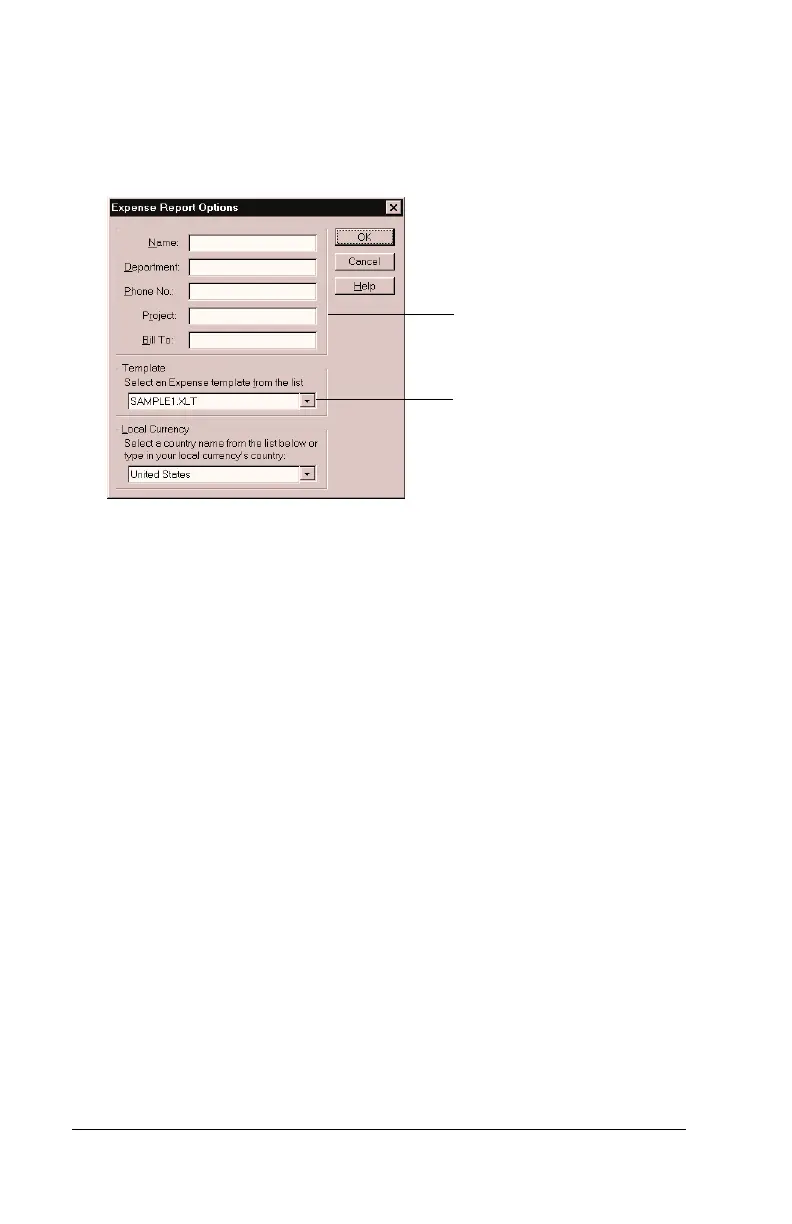
3. Enter name, department, and other information as necessary for
your expense report.
4. Click the Templates menu; then select an expense template.
Note:
If you want to create your own custom expense template
and have it appear in the Templates menu, see Appendix
C for more information.
5. Click OK.
Choose expense
template
Enter name and
other information



 To Next Page