Page 32 Introduction to Your Visor™ Handheld
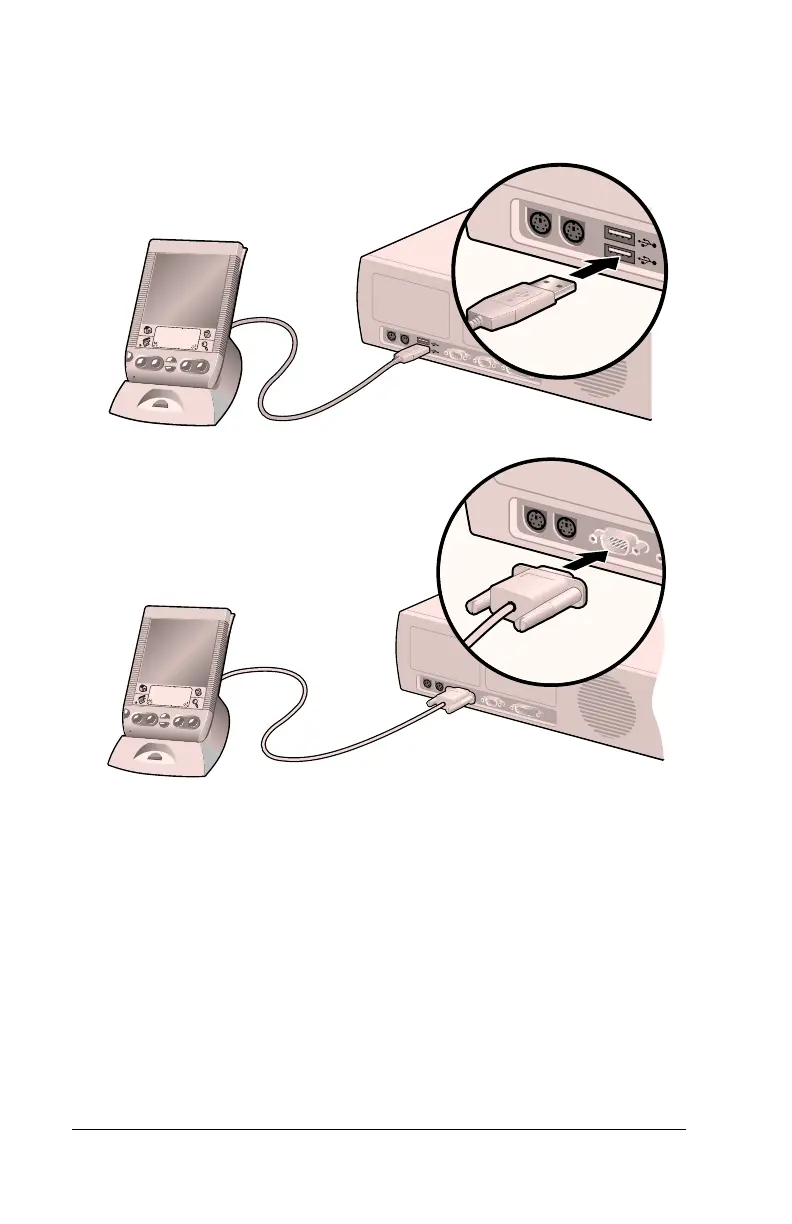
To connect the cradle:
1. Plug the cable from the handheld cradle into the USB port or serial
port on your computer.
Note:
If you are unsure about the exact location of the USB port or
serial port on your computer, refer to the manual supplied
with the computer.
Using your handheld with Microsoft Outlook
The software that comes with your Visor handheld includes
everything you need to synchronize your handheld with Microsoft
Outlook. If you already have Microsoft Outlook installed on your
computer, the installation program prompts you to choose the
Microsoft Outlook synchronization option.
Shown with
USB port
Shown with
Serial port



 To Next Page