Chapter 8 Page 211
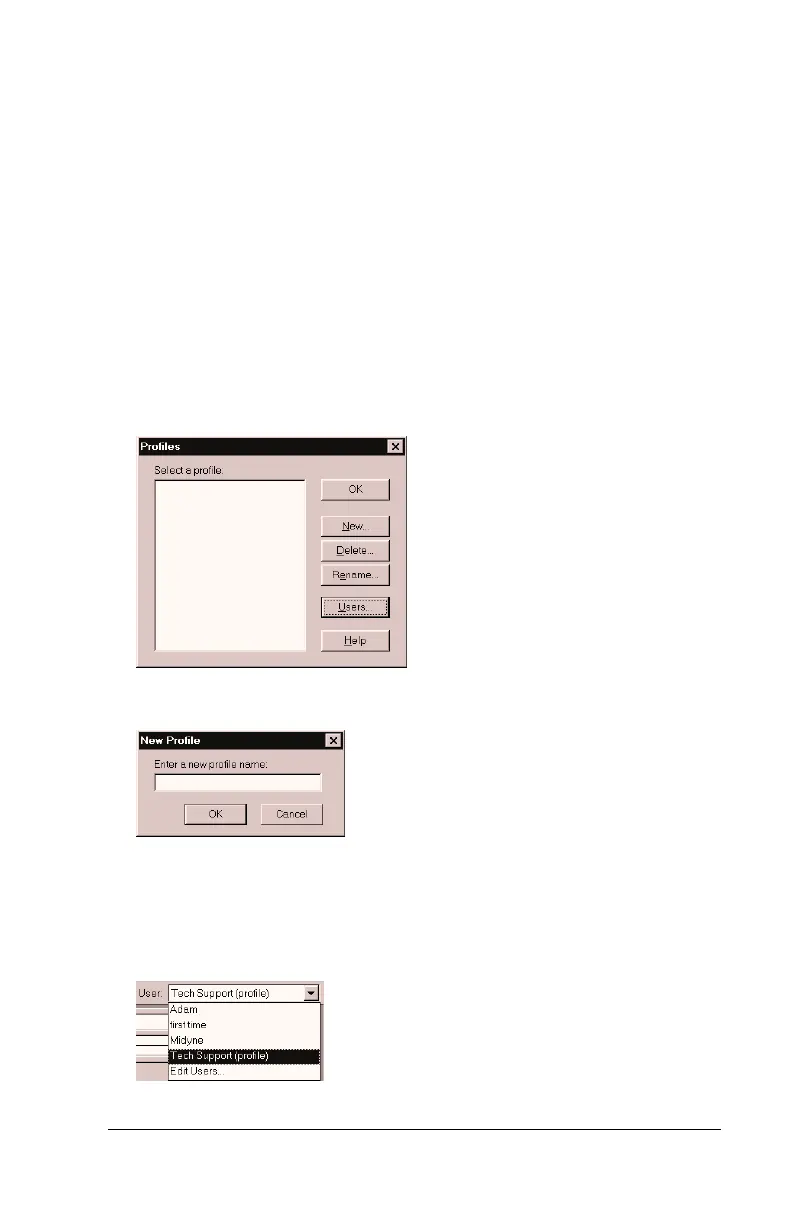
Creating a user profile
If you need to configure several Palm OS
®
handhelds with specific
information (such as a company phone list) before distributing them
to their actual users, you can create a user profile to load the data into
a handheld without associating that data with a user name. The User
Profile feature is designed only for the first-time HotSync operation,
before you assign a User ID to a particular handheld.
To create a user profile:
1. Open Palm Desktop software.
2. From the Tools menu, choose Users.
3. Click Profiles.
4. Click New.
5. Enter a unique name for the profile, and click OK.
6. Repeat steps 3 and 4 for each profile that you want to create, and
then click OK to return to Palm Desktop software.
7. Select the profile from the User list and create the data for the
profile (e.g., company phone list, etc.).



 To Next Page