Page 220 Setting Preferences for Your Handheld
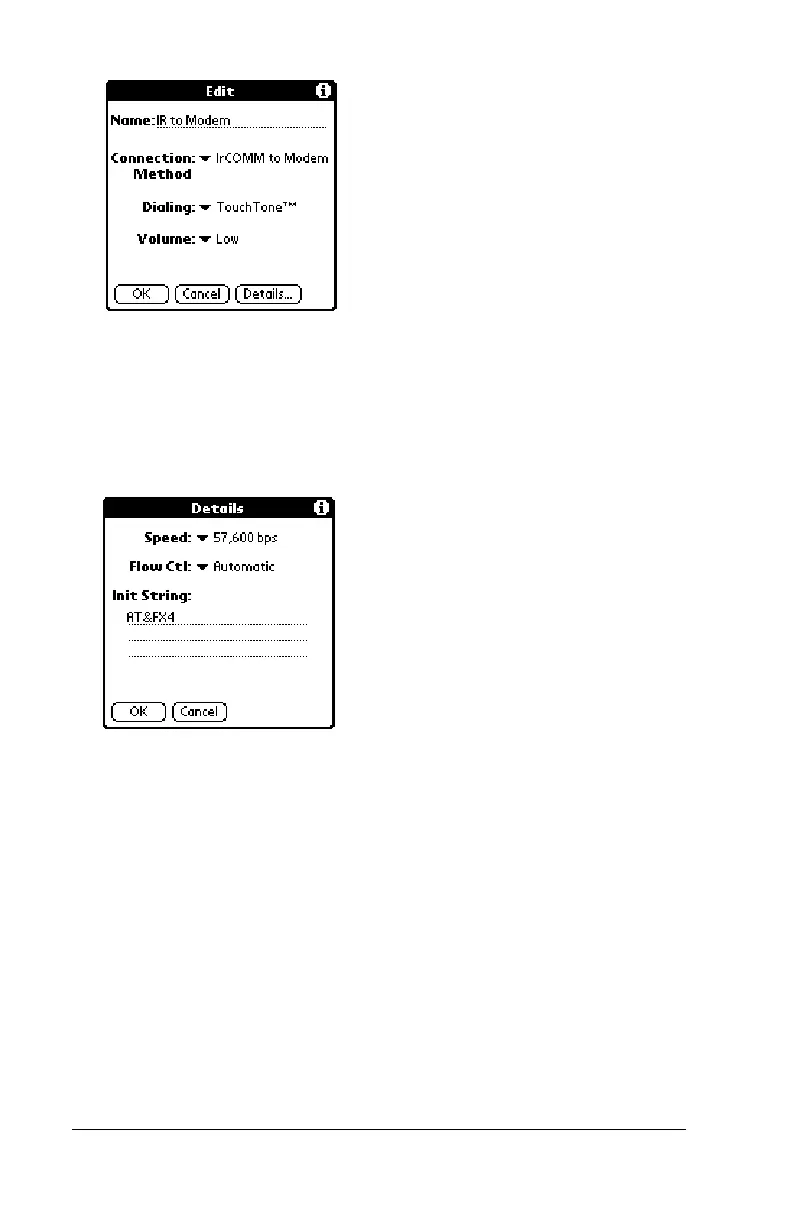
4. Tap the Dialing pick list and select TouchTone or Rotary.
Note:
Select Rotary only if your telephone service does not
support TouchTone dialing.
5. Tap the Volume pick list and select the speaker volume.
6. Tap Details.
7. Enter the initialization string appropriate for the modem attached
to your handheld.
8. Tap OK twice to return to the Connection Preferences screen.
Digitizer preferences
The Digitizer Preferences screen opens the digitizer calibration screen.
This is the same screen that appears when you start your handheld for
the first time.
You can recalibrate your screen after a hard reset, or if your digitizer
drifts.



 To Next Page