Chapter 7 Page 179
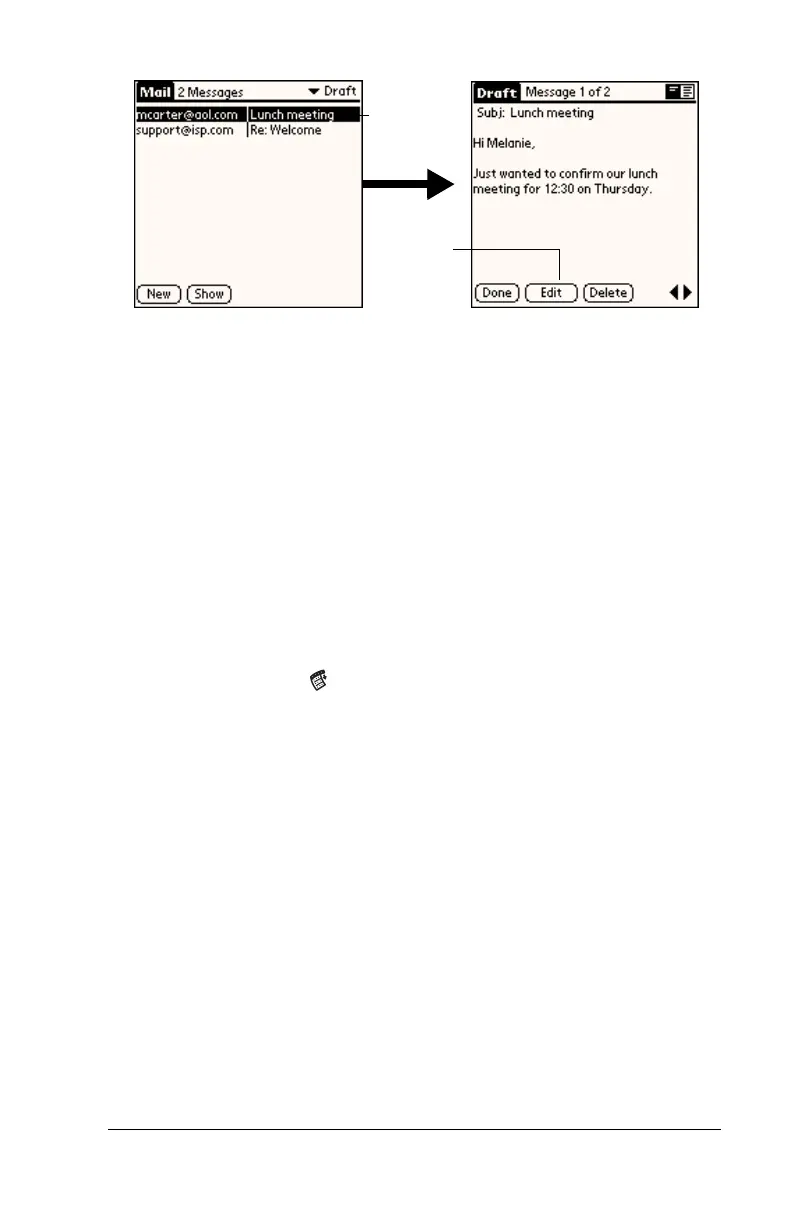
3. Tap Edit.
4. Enter your changes; then either save the e-mail item again as a
draft, or tap Send to move the item to your Outbox folder.
Filing e-mail
Your handheld can store e-mail you receive or create in the Filed
folder. The contents of this folder do not automatically synchronize
with your desktop E-Mail application during a HotSync operation.
Your handheld, however, stores a backup copy of the Filed folder on
your computer hard disk.
To file e-mail:
1. Open an e-mail item.
2. Tap the Menu icon .
3. Tap Message, and then tap File.
4. Tap No to save the e-mail item and move it to the Filed folder, or
tap Yes to file the item and keep a copy in the Inbox.
To remove e-mail from the Filed folder:
1. In the Message list, tap Filed from the pick list in the upper-right
corner.
2. Tap the e-mail item you want to restore.
3. Tap Edit to display and modify the item.
Tip:
After you display and modify the e-mail item, you can send it,
save it as a draft, or return it to the Filed folder.
Tap here
to select
item
Tap to
edit item



 To Next Page