Chapter 9 Page 225
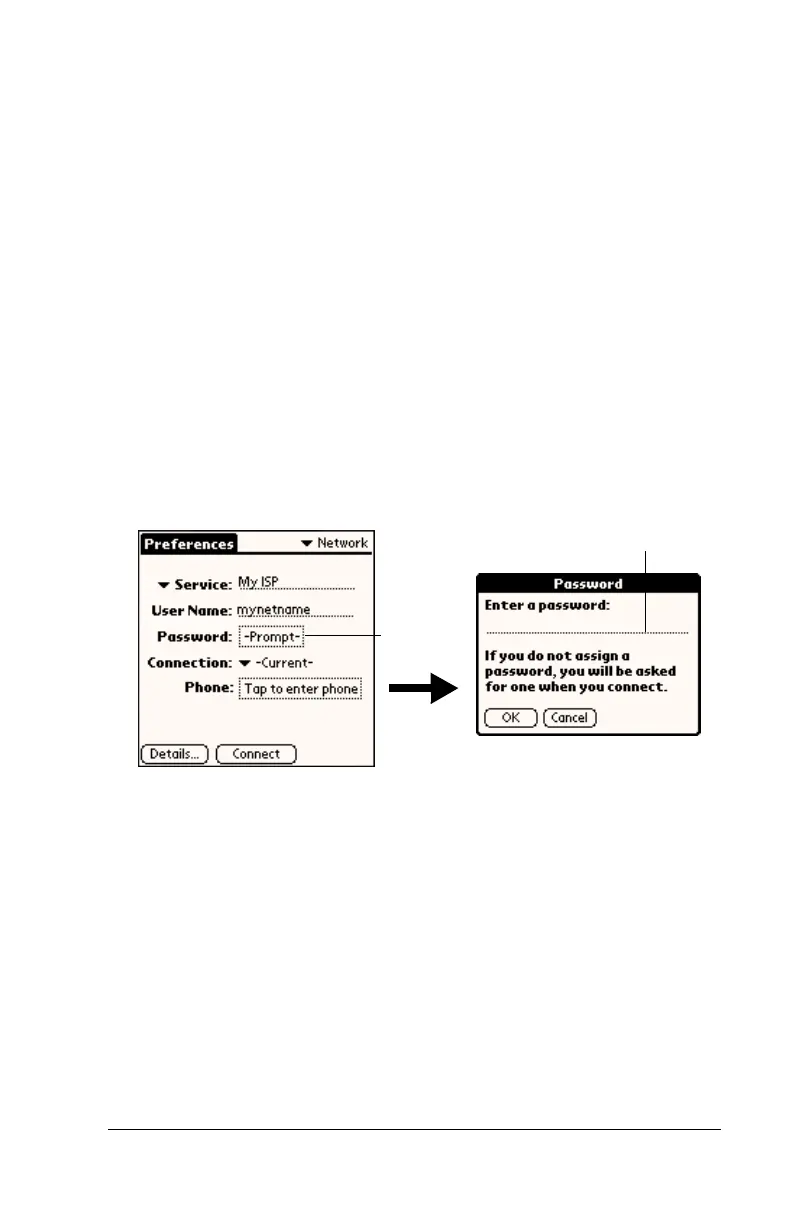
Entering a password
The Password box identifies the password you use to log into your
server or ISP. Your entry in this field determines whether your
handheld prompts you to enter a password each time you log into
your network:
■
If you do not enter a password, your handheld displays the word
“Prompt” in this field and asks you to enter a password during the
login procedure.
■
If you enter a password, your handheld displays the word
“Assigned” in this field and does not prompt you to enter a
password during the login procedure.
Note:
If you are concerned about security, select the Prompt option
and do not enter a password.
To enter a password:
1. Tap the Password field.
2. Enter the password you use to log into your server.
3. Tap OK.
Note:
The Password field updates to display the word “Assigned.”
nter passwor
ere
Tap here



 To Next Page