Chapter 8 Page 205
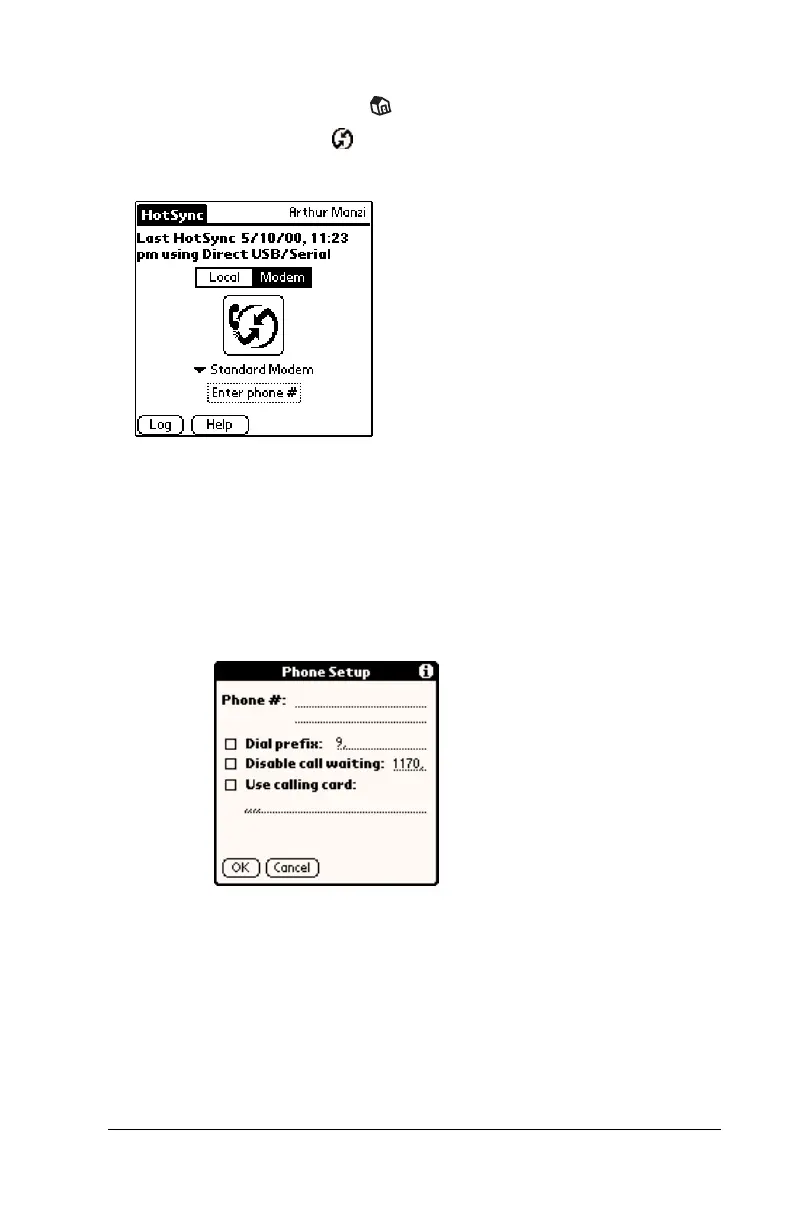
To prepare your handheld for a modem HotSync operation:
1. Tap the Applications icon .
2. Tap the HotSync icon .
3. Tap Modem.
4. Tap the pick list below the HotSync icon and select Standard
Modem.
5. Tap the Enter Phone # field.
Note:
If you plan to connect to your company’s dial-in server
(network modem) instead of connecting to a computer
modem, see “Conducting a HotSync operation via a
network” later in this chapter.
6. Enter the telephone number to access the modem connected to
your computer.
7. If needed, enter a dial prefix (such as “9”) to access an outside line,
and then tap the Dial Prefix check box.
Tip:
You can enter a comma in the field to introduce a “pause”
in the dialing sequence. Each comma equals a two second
pause.



 To Next Page