Chapter 9 Page 227
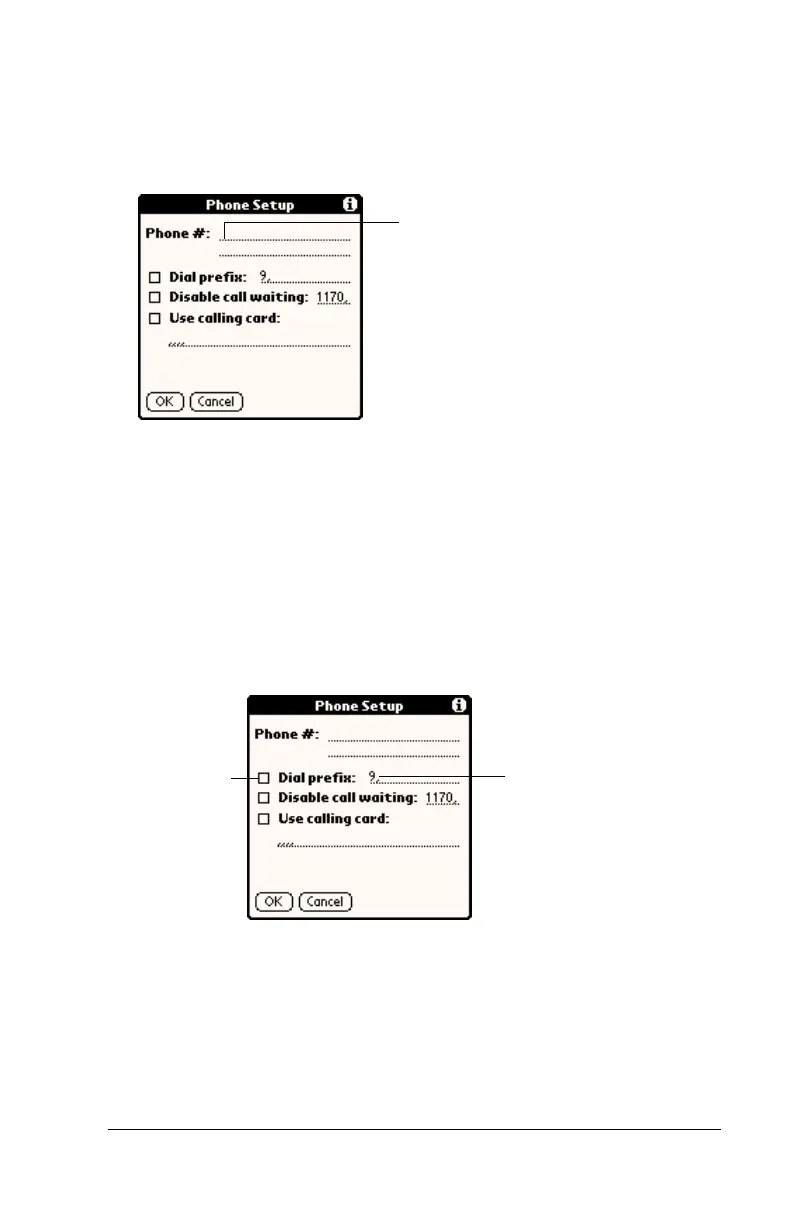
To enter your server phone number:
1. Tap the Phone field.
2. Enter the phone number you use to reach your ISP or dial-in
server.
3. If you need to enter a prefix or disable Call Waiting, skip to those
procedures. Otherwise, tap OK.
Entering a prefix
A prefix is a number that you dial before the telephone number to
access an outside line. For example, many offices require that you dial
“9” to dial a number outside the building.
To enter a prefix:
1. Tap the Dial Prefix check box to select it.
2. Enter the prefix.
3. Tap OK.
Enter your ISP phone
number here
Enter your
prefix here
Select this
box if you
need to use
a prefix



 To Next Page