Page 52 Managing Your Applications
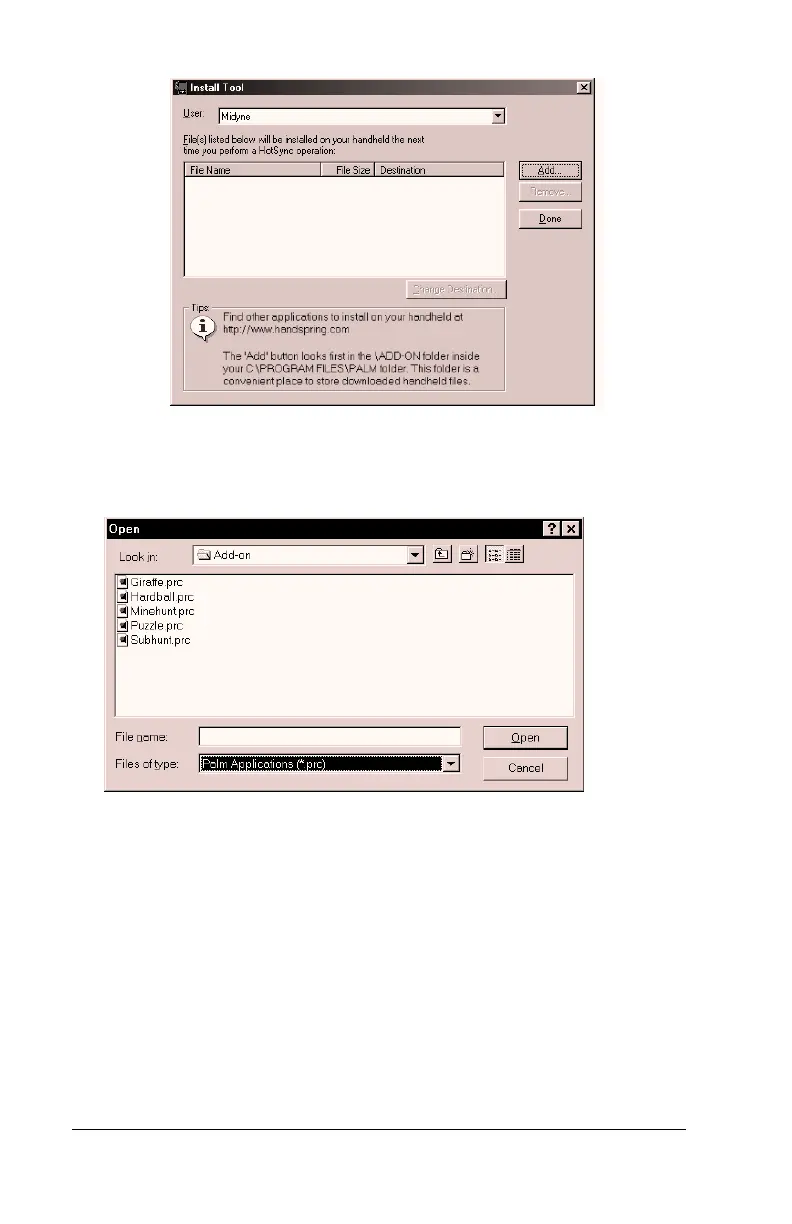
4. In the User drop-down list, select the name that corresponds to
your handheld.
5. Click Add.
6. Select the application(s) that you want to install on your handheld.
7. Click Open.
Note:
Review the list of applications you selected in the Install
Tool dialog box. If you do not want to install an
application, select it, and then click Remove. (This does
not remove the application from your computer; it simply
removes it from the list of applications to install.)
8. Click Done.
9. Perform a HotSync operation to install the application(s) you
selected in step 6. See “Other ways to delete records” in Chapter 5
for details.



 To Next Page